


Website Maintenance Made Simple: A 2026 Guide to Stress-Free WordPress Management
Introduction
You’ve built your website. You’ve secured it with protection systems. You’ve ensured it can handle growth with reliable infrastructure. At this stage of the journey, many website owners arrive at an important realization:
Websites aren’t “set it and forget it” projects.
The real question isn’t whether your website needs maintenance—it absolutely does. The question is whether maintenance becomes a constant drain on your time and energy, or a calm, predictable routine that works quietly in the background.
This is where most website owners struggle. After launch, they typically fall into one of three patterns:
- Ignoring maintenance entirely—until something breaks catastrophically
- Over-managing obsessively, checking dashboards constantly and never trusting automation
- Performing random manual fixes, reacting to issues without a system
None of these approaches is sustainable.
This article—the final piece of your 2026 digital foundation—explores how to build a maintenance system that requires minimal time, reduces stress, and keeps your website healthy year-round.
By the end of this guide, you’ll see that website maintenance doesn’t need to be complicated. It needs to be systematic, automated, and trusted.
WordPress website maintenance doesn’t need to be complex or time-consuming. In 2026, the most effective approach is built around automation, light monthly check-ins, and trusted systems that reduce manual effort. Tools like Jetpack play a central role by handling backups, security monitoring, and performance optimization automatically—allowing site owners to maintain a secure, fast, and reliable website year-round without constant hands-on management.
Why Website Maintenance Is Often Neglected
The Invisible Problem
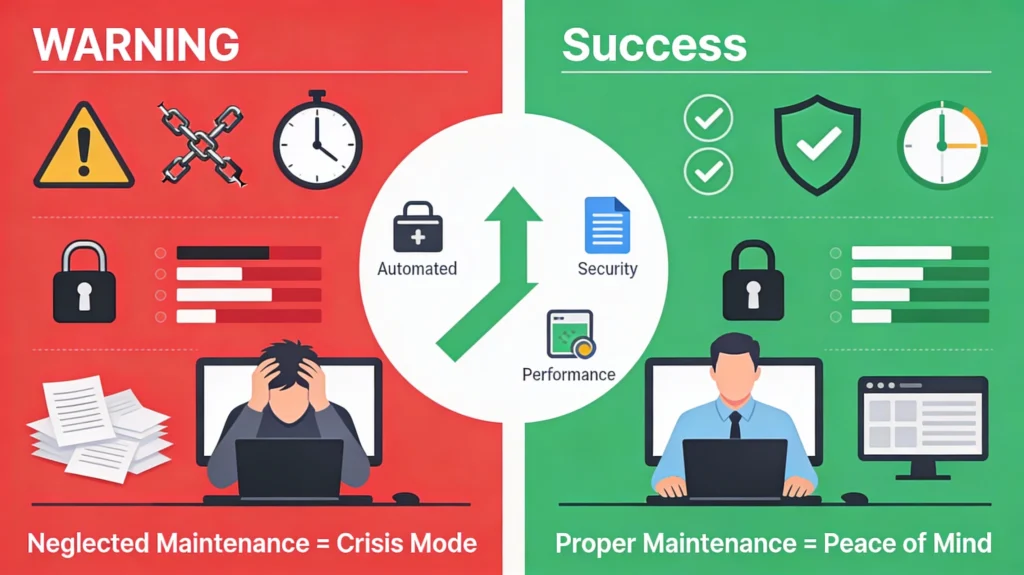
Website maintenance isn’t exciting. It doesn’t create visible wins. You don’t complete a maintenance task and immediately see more traffic, higher engagement, or new customers. Maintenance is defensive—you’re preventing problems rather than creating opportunities.
Because it’s invisible, maintenance is easy to deprioritize. Your focus naturally goes to content, marketing, growth, and customer work. Maintenance feels abstract—something that can wait.
But invisibility does not mean unimportance.
Maintenance is what allows your website to function quietly and reliably while everything else moves forward.
The Cost of Ignoring Website Upkeep
Neglected maintenance doesn’t fail loudly. It fails gradually.
- A plugin becomes outdated
- A backup hasn’t run recently
- A vulnerability remains unpatched
- Security scans stop working
- Performance slowly degrades
Then, one day, something breaks—and the impact is rarely small.
Downtime means lost revenue and missed leads. Security incidents can cost thousands in recovery and reputation damage. Slower performance reduces conversions—often by about 4% per additional second. Lost data is frequently unrecoverable.
Issues that could have been prevented in minutes now take hours—or weeks—to fix. Crisis response interrupts your most important work, while stress and uncertainty drain mental energy.
Downtime is visible to users and search engines. Security breaches erode trust instantly. Slow, unreliable sites feel unprofessional.
Maintenance isn’t busywork—it’s risk management.
January as a Reset for Sustainable Workflows
If you’ve been following your 2026 digital journey—building your site, securing it, and preparing it for growth—January is the ideal moment to establish maintenance habits.
January represents a psychological reset. New routines are easier to adopt because they align with a sense of renewal. This makes it the best time to design workflows that support your website throughout the year.
The alternative is realizing in July that your site hasn’t been maintained for months—and scrambling to recover under pressure.
What Website Maintenance Really Includes
Many website owners know maintenance is “important” but don’t clearly understand what it involves. In reality, effective maintenance consists of four core areas working together.
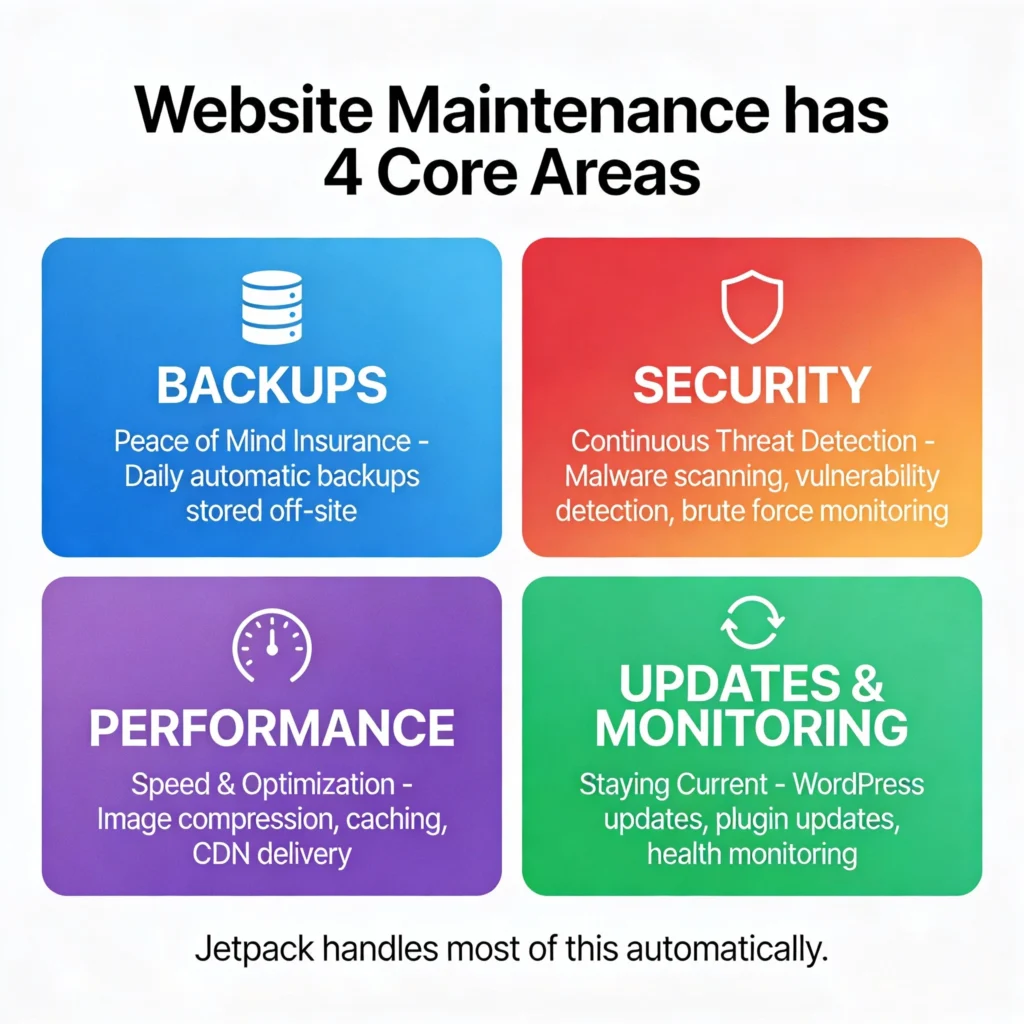
Area 1: Backups (Peace of Mind Insurance)
A backup is a complete copy of your website stored securely off-site. If something goes wrong—through hacking, a failed update, server issues, or human error—a backup allows you to restore your site to a previous state.
Backups are insurance. You hope you never need them. But when you do, they are invaluable.
What needs backing up- Database (posts, pages, comments, settings)
- Files (uploads, themes, plugins, custom code)
- Configuration and plugin settings
- Daily backups at a minimum
- Real-time backups for active or ecommerce sites
- Never on the same server as your website
- In secure, off-site locations
- Encrypted and geographically redundant
Verification matters: check timestamps regularly, ensure restores actually work, and test recovery occasionally. Backups that exist but can’t be restored are effectively useless.
Area 2: Security (Continuous Threat Detection)
Security maintenance means continuously monitoring your site for threats and vulnerabilities—and addressing them before damage occurs.
This includes:- Malware scanning
- Vulnerability detection in plugins and themes
- Brute-force login protection
- Monitoring unusual activity
- Logging changes for accountability
Modern attacks are largely automated. They don’t target only large sites—smaller sites are often targeted precisely because they are less actively maintained.
Better approach: prevention through continuous monitoring is far cheaper—and far less stressful—than responding to a breach.
Area 3: Performance (Speed and Responsiveness)
Performance rarely collapses overnight. It degrades slowly as content accumulates, plugins increase, and traffic grows.
Common causes include:- Large or unoptimized images
- Excess scripts from plugins
- Poor caching
- Growing database overhead
- Hosting resource limitations
- Automated monitoring of load times
- Image optimization and caching
- Alerts when performance drops
Speed affects user experience, search visibility, and conversion rates. Maintenance prevents slow decay from becoming a serious problem.
Area 4: Updates and Monitoring (Staying Current)
Maintenance also means keeping your software ecosystem healthy and up to date.
This includes:- WordPress core updates
- Plugin and theme updates
- Compatibility monitoring
- Post-update verification
Updates aren’t optional. Most security vulnerabilities exploit outdated software—not advanced hacking techniques.
Common Website Maintenance Mistakes
Common Maintenance Mistakes to Avoid
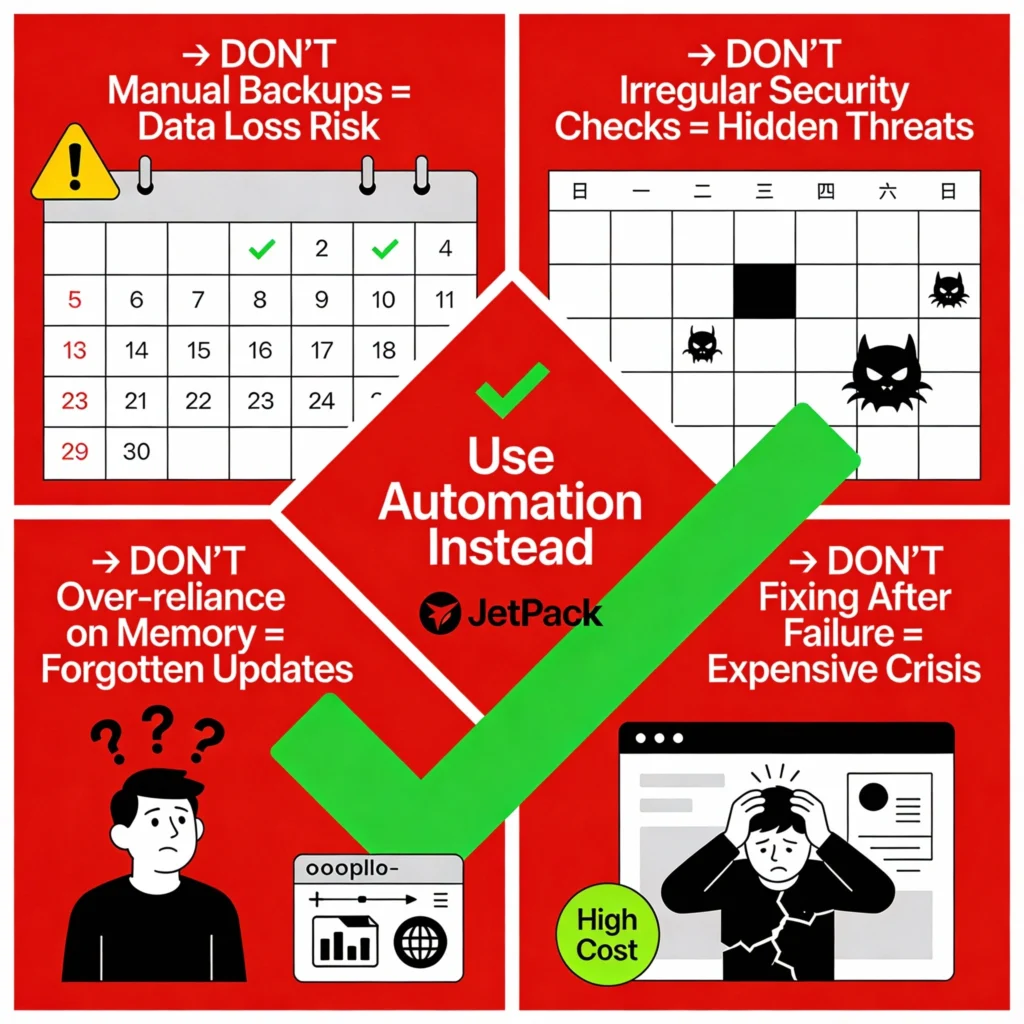
Understanding what not to do is just as important as knowing what to do. Most maintenance problems aren’t caused by complexity—they’re caused by habits that don’t scale.
Relying on memory to back up your site eventually fails. Automation exists to remove human error from systems that protect critical data.
Security threats don’t announce themselves. Automated scanning is far more effective than occasional, manual reviews.
Remembering what needs updating, when, and why creates inconsistency and risk. Systems beat memory every time.
Waiting until something breaks guarantees stress, urgency, and higher costs. Proactive maintenance prevents crises before they occur.
How Jetpack Supports Ongoing Maintenance
Jetpack automatically captures site changes—publishing content, uploading images, updating plugins, or adjusting settings—in real time.
- Recent work is never lost
- Restores require no technical expertise
- Backups are stored securely off-site
- You can restore to nearly any previous point
Maintenance impact: Backups require no ongoing effort—only occasional verification.
Jetpack scans your site daily—or in real time on higher plans—for malware and known vulnerabilities.
- Clear alerts when issues are detected
- Automatic fixes for most threats
- Manual intervention only when necessary
Maintenance impact: Security runs quietly in the background.
Jetpack helps prevent gradual performance decline as content and traffic grow.
- Automatic image optimization
- Global CDN delivery
- Caching and script optimization
Maintenance impact: Speed remains consistent without repeated tuning.
Jetpack provides a single dashboard view for:
- Backup status
- Security health
- Uptime monitoring
- Performance indicators
- Update activity
Maintenance impact: Reviews become fast and predictable.
Creating a Low-Stress Maintenance System
The goal of maintenance isn’t perfection—it’s sustainability.
Automating routine tasks saves time and reduces human error.
Scheduled reviews eliminate constant anxiety.
Not every alert requires action—avoid unnecessary noise.
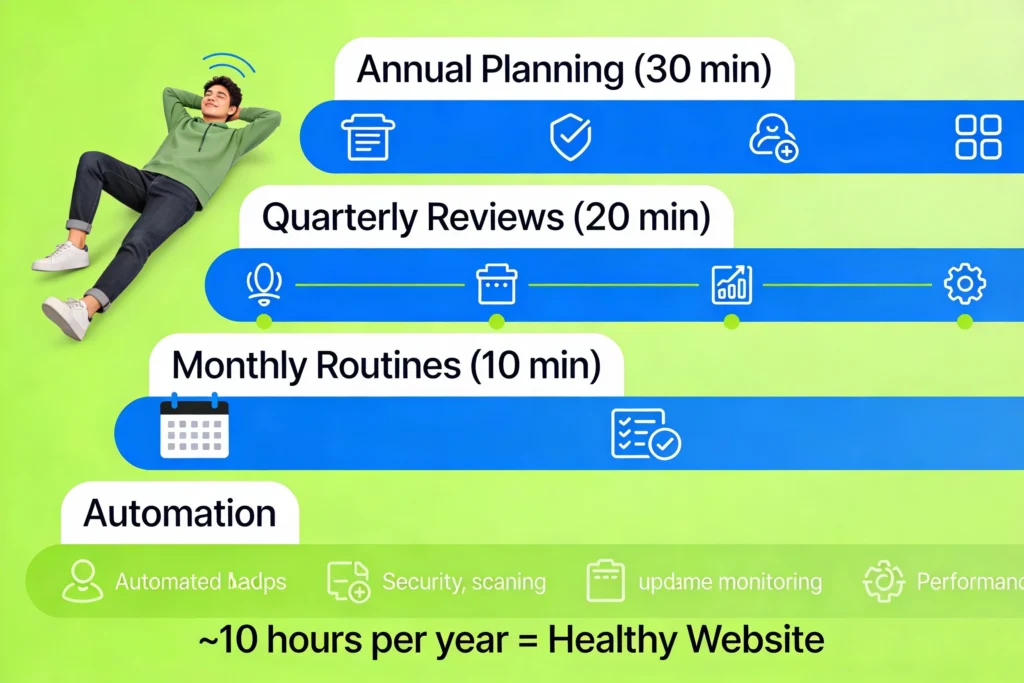
WordPress Maintenance Checklist for 2026
- Verify backups
- Review security status
- Check site health
- Quick visual inspection
- Audit plugins and themes
- Review performance trends
- Update outdated content
- Check SEO health
- Audit users and permissions
- Review security logs
- Plan infrastructure upgrades
- Set yearly goals
Total annual effort: approximately 10 hours.
If you’re looking to make WordPress website maintenance more predictable and less hands-on, tools like Jetpack are designed to automate backups, security monitoring, and performance optimization, helping routine maintenance happen quietly in the background instead of demanding constant attention.
Long-Term Benefits of Simplified Maintenance
Issues are detected early and resolved quickly, before they escalate into outages or data loss.
Mental energy shifts away from technical worry and back to content, creativity, and strategy.
You can publish, update, and grow with confidence—without constant anxiety about what might break.
Conclusion: Maintenance as a Habit, Not a Burden
Websites rarely fail because of bad ideas. They fail because their foundations are quietly neglected.
Maintenance isn’t glamorous and it doesn’t deliver instant wins—but it enables everything else to work reliably. Speed, security, uptime, and confidence all depend on it.
When critical tasks are automated, routines are kept light, and systems are trusted, maintenance becomes a habit instead of a burden.
Start now. Let automation handle the heavy lifting. Review monthly. That’s how websites stay healthy, secure, and resilient throughout 2026 and beyond.
With the right systems in place, website maintenance fades into the background—supporting your goals quietly while you focus on creating, growing, and building with confidence. Tools like Jetpack help make this possible by automating backups, security, and performance without requiring constant manual effort.
Affiliate Disclosure: Some of the links in this article are affiliate links. This means we may earn a commission if you purchase through them, at no additional cost to you. We only recommend hosting providers we have tested, reviewed, or genuinely believe offer value to our readers.