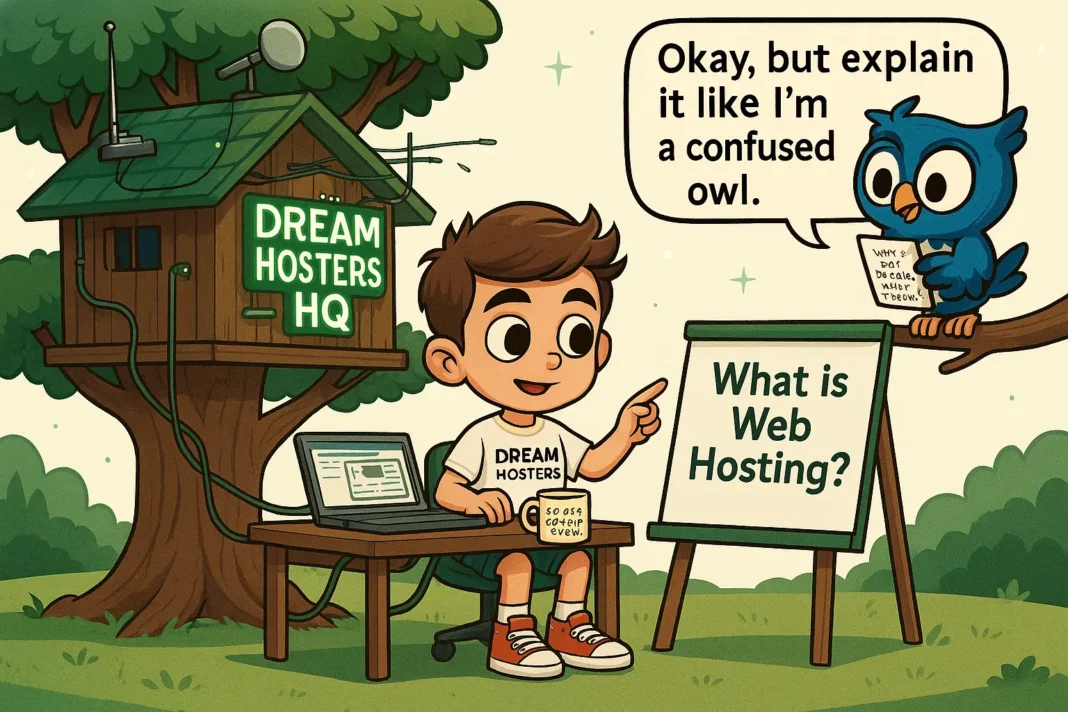


Hosting That Doesn’t Confuse Beginners
If you are new to websites, the idea of “hosting” can feel confusing, overwhelming, and a bit scary. You look at hosting pages, see strange words like “cPanel”, “SSL”, and “VPS”, and wonder if you need to become a tech expert just to publish a simple blog or small business site. The good news is that hosting does not have to be complicated. You can pick a provider that keeps things simple, hides the complex parts, and lets you focus on your content.
One option that fits this description is Verpex, which offers straightforward shared and WordPress‑friendly plans starting around $0.60 per month, with automatic SSL, free site migration, and easy‑to‑use tools. If you want to see how clear and beginner‑friendly hosting can feel, you can start exploring their plans here: Visit Verpex
Below, you will find a practical guide to choosing hosting that does not confuse beginners, explained in plain language with simple steps and realistic expectations.
What you actually need in beginner‑friendly hosting
Before you start comparing brands, it helps to know what you really need:
- A place to store your website files (hosting).
- A simple way to install WordPress or another website builder.
- Automatic SSL so your site is secure without extra work.
- Backups in case you make a mistake.
- Support you can understand when you get stuck.
You do not need the most advanced plan or a data‑center‑style control panel. You just need a host that:
- Lets you create a site quickly.
- Handles server updates and security basics.
- Explains settings in language a normal person can follow.
If a provider seems to speak only to system admins and engineers, that is usually a sign it is not the best fit for someone new to websites.
Why confusing hosting is a problem for beginner
When hosting is hard to understand, beginners tend to:
- Hesitate and put off starting a site.
- Click buttons without knowing what they do.
- Feel anxious about “breaking” the website or the server.
A confusing host usually:
- Uses a lot of technical terms.
- Forces you to manage SSL, backups, and DNS by hand.
- Assumes you already know what terms like “cPanel”, “migrating DNS”, or “database export” mean.
A beginner‑friendly host does the opposite:
- Groups common tasks into simple menus.
- Offers one‑click tools for installing WordPress.
- Sets up security and basic functions automatically.
- Offers clear, human‑sounding support.
When the host takes care of the technical side, you can spend your energy on writing, designing, and promoting your site instead of decoding jargon.
Signs of hosting that won’t confuse you
If you are a beginner, look for these signs when you evaluate a hosting provider:
- Clear, simple dashboard
The main control panel should feel like a normal website, not a spaceship cockpit. You should see obvious sections such as “Websites”, “Email”, “Backups”, and “WordPress install”. - WordPress‑friendly tools
If you plan to use WordPress, look for:- A one‑click installer.
- Automatic WordPress setup.
- Simple tools to manage plugins and themes.
- Automatic SSL
SSL is the padlock icon in the browser. It keeps your visitors safe and helps search engines trust your site. Look for free SSL that renews automatically instead of forcing you to add it by hand. - Backups without extra steps
Daily or weekly backups that you can restore with a few clicks reduce stress. If something goes wrong, you can roll back without calling a developer. - Free migration
If you already have a site somewhere else, a host that moves it for you at no extra cost removes a big technical hurdle. - Support in plain language
Email or chat support that explains what an option does, instead of throwing terms at you, makes a big difference when you feel stuck.
At the time of writing, Verpex matches these beginner‑friendly traits. They offer shared hosting plans at low prices, automatic SSL, free site migrations, malware scans, and simple tools that keep the technical side in the background.
Types of hosting that are easy for beginners
If you are just starting out, avoid plans that sound like they are for advanced users. Instead, focus on:
- Shared hosting
Many beginner sites live on shared hosting, where you share server resources with other websites. The host manages the server, and you only manage your site.
Benefits for beginners:- Simple dashboard.
- One‑click WordPress install.
- Low cost, enough for small blogs and small business sites.
- Managed WordPress‑style hosting
Some providers offer hosting that is tuned for WordPress. This means:- Automatic WordPress updates.
- Performance optimized for loading speed.
- Extra security and backup tools.
For most first‑time users, shared hosting is enough. You can upgrade later if your site grows or if you feel more comfortable with the technology.
How to choose a plan without getting lost
When you look at hosting pages, the prices, plan names, and add‑ons can feel noisy. To keep things simple:
- Match the plan to your site type
- Blog or small portfolio: shared hosting.
- Fast‑growing business or online store: managed WordPress or higher‑tier shared/VPS.
- Look at real renewal costs, not just the first‑year discount
Many hosts offer very low prices to start, then raise the price at renewal. If you intend to keep the site long term, check how much the plan will cost after the first discount period. - Check what “free” includes
Ask:- Is SSL free and automatic?
- Are backups included and easy to use?
- Is the domain free for the first year, or only in special offers?
- Ignore features you do not need
You do not need unlimited storage, multiple servers, or advanced caching on day one. Start with what you can understand and upgrade later if required.
A clear, beginner‑friendly provider such as Verpex structures its plans so that the basics are obvious and the extra features are easy to pick up when you are ready.
A simple setup path for beginners
If you want hosting that does not confuse you, follow a straightforward path:
- Pick a clear, simple host
Choose a provider that:- Uses plain language.Has a simple dashboard.Offers free SSL, backups, and easy WordPress setup.
- Choose a shared or WordPress‑optimized plan
For a first site, shared hosting is usually enough. If you are sure you will use WordPress heavily, look for a plan that is optimized for WordPress. - Register or connect your domain
- If you do not have a domain, many hosts let you buy one during signup, often with a free first year.
- If you already own a domain, the host can tell you which nameservers to use or even move the DNS for you.
- Install WordPress in one click
In your hosting dashboard, look for an option that says “Install WordPress” or “WordPress Installer”.- Click it.
- Select your domain.
- Fill in your site name and admin login.
- Finish the install.
- Publish your first page
- Go to the WordPress editor.
- Write a short welcome message.
- Add a brief description of what your site is about.
- Click “Publish”.
At this point, you have a live site, and you can build confidence by making small changes over time instead of trying to learn everything at once.
How to avoid feeling overwhelmed by options
Even on beginner‑friendly hosting, you will see many buttons and menus. Here are a few tips to keep things calm:
- Touch only what you understand
If a setting label is unclear, skip it and come back later. You do not need to change everything on day one. - Use the “Help” or “Support” section often
Many hosts include short guides inside the dashboard. These are usually written for regular users, not engineers. - Limit the number of plugins and apps
For a first WordPress site, stick to:- A contact form plugin.
- A basic SEO tool.
- A caching plugin, if required by your host.
- Set up a simple routine
- Check your site once a week to fix broken links or spelling errors.
- If your host does not handle updates automatically, plan a short time each month to update WordPress and key plugins after a backup.
This kind of gentle approach keeps hosting from feeling like a full‑time job.
How good hosting supports your confidence
When you choose hosting that does not confuse beginners, several positive things happen:
- You feel safe making changes
Backups and simple restore tools mean mistakes are not permanent. You can experiment and learn without fear. - You are not alone when you get stuck
Human‑sounding support can walk you through basic tasks, explain what a button does, or help you fix a small error. - You learn at your own pace
Start with:- Creating a page.
- Changing a theme.
- Publishing a blog post.
Over time, you will notice that clicking around your hosting dashboard and WordPress feels normal, not intimidating. The host has done the heavy technical work, and you focus on what matters to you.
A realistic next step for you
If you have been thinking about starting a website but held back because hosting seems confusing, your next step can be simple:
- Decide what your site is for (blog, portfolio, small business page, or simple online store).
- Pick a beginner‑friendly host that offers shared or WordPress‑friendly hosting, automatic SSL, free migrations, and clear support.
- Sign up, install WordPress with one click, and publish your first page.
If you want a clear, easy‑to‑use option that does not bombard you with technical noise, Verpex’s hosting plans are built to simplify this process. They offer fast setup, free domain and SSL, daily backups, and simple tools that help you stay in control without stress.
Ready to start your first site with hosting that does not confuse you? Take the first step now.
Free SSL • Daily Backups • LiteSpeed Servers • WordPress Ready
🙏 Disclosure & Thank You
This post contains affiliate links to Verpex.
If you purchase through my links, I earn a small commission at no extra cost to you. Thank you for supporting us – DreamHosters