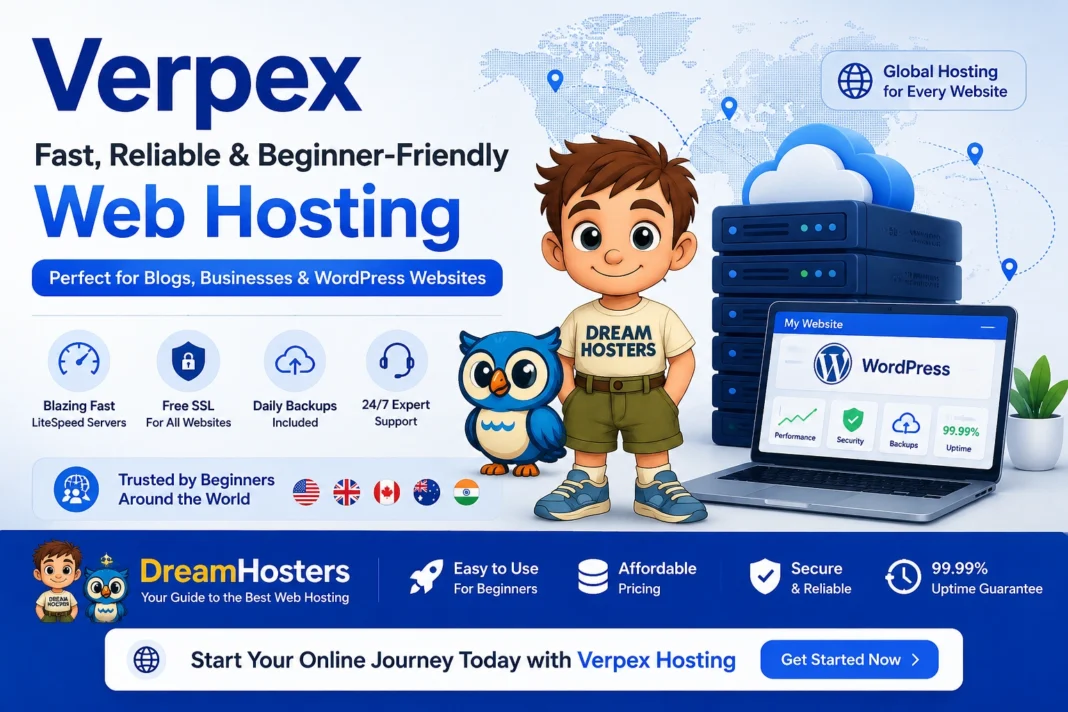


Hosting Features Beginners Actually Need
Beginners often feel lost picking hosting. This article explains the real features that matter most. You will learn what helps you build and run a site without headaches.
For a solid option with these features, visit verpex.com. Plans begin at $0.60 a month with free SSL and backups.
What Makes Hosting Beginner-Friendly
Hosting holds your website files online. Beginners need simple access to those files. A control panel like cPanel shows everything clearly. Click icons to manage emails or databases. No tech degree required. Reliable uptime keeps your site visible. Aim for 99.9% or better. Downtime frustrates early visitors.
One-Click Installs Save Time
Apps like WordPress power most beginner sites. One-click installs set them up in seconds. Select from a list in your panel. Hit install and add login details. Edit content right away. Providers like Verpex include Softaculous for this. Over 300 apps ready to go. Perfect for testing ideas. This feature cuts setup from hours to minutes. Beginners launch faster.
Free SSL for Secure Sites
SSL adds HTTPS to your site. It locks data between visitors and your server.Browsers warn without it. Free SSL certificates fix that instantly. Activate in cPanel with one toggle. No cost or hassle. Google favors secure sites too. Tip: Always enable SSL on new sites. It builds trust from day one.
Daily Backups Protect Your Work
Mistakes happen. Delete a file or break code by accident. Daily backups copy your site automatically. Restore to yesterday if needed. Options like JetBackup make this easy. Browse dates and recover files. No data loss scares. Keep backups offsite for extra safety. Most hosts store them on the same server.
Unlimited Bandwidth Explained
Bandwidth measures data sent to visitors. Images and videos use more. Unlimited plans avoid overage fees. Share your site freely without limits. Beginners post photos or videos. Traffic spikes from social shares stay covered. Watch usage in your panel. It helps plan growth.
24/7 Support for Quick Help
Questions arise at any hour. Live chat or tickets solve them fast. Real people answer, not bots. Phone options add flexibility. Look for hosts with chat, tickets, and phone around the clock. Knowledge base fills gaps. Test support before buying. Ask a simple question to gauge speed.
cPanel: The Beginner Dashboard
cPanel centralizes tasks. See files, emails, and stats at a glance. File Manager uploads without software. Drag and drop works. Email setup creates accounts quick. Forwarders route messages smartly. Databases install via phpMyAdmin. WordPress needs one. Domains point easy. Add subdomains for blogs or shops.
NVMe SSD Storage for Speed
Storage holds your files. NVMe SSD reads data faster than old drives. Sites load in under two seconds. Visitors stick around longer. Hosts using NVMe show clear gains. Notice the difference on image-heavy pages. Pair with caching for best results. Beginners see gains right away.
Free Domain to Start
New sites need addresses. Free domains for a year get you online cheap. Choose from .com or others. Point it in minutes. Renew at standard rates later. Builds your brand early. Many plans bundle this. No hunting separate registrars.
Money-Back Guarantee Reduces Risk
Test hosting for 30 days. Not happy? Get refunded. Cancel through your account. No questions asked. Look for 30-day terms. Use it to try features fully. This lets beginners experiment safely.
Email Features Beginners Use
Websites need contact forms. Unlimited email accounts handle them. Webmail accesses inbox anywhere. IMAP syncs with apps. Spam filters block junk. Focus on real messages. Fair sending limits suit starters. 100 emails hourly works. Forwarders send mail elsewhere. Catch-alls grab missed ones.
Security Basics Covered
Hackers target new sites. Imunify360 or similar scans malware. DDoS protection stops floods. Firewalls block bad traffic. Daily malware checks keep clean. Change passwords often. Update software promptly. Two-factor adds login safety. Small steps yield big protection.
Global Server Locations
Choose data centers near users. US, Europe, Asia options. Lower latency means quicker loads. Collaboration improves. Spans like 12 locations help. Pick during signup. Test ping times. Tools show best fit.
Developer Tools for Growth
SSH access edits files remotely. Cron jobs run tasks automatic. PHP versions from 7 to 8.3. Node.js for modern apps. .git support deploys code. Memcached speeds databases. These pack in good plans. Tinker as skills build. FTP uploads large files. .htaccess tweaks rules.
Uptime Guarantees in Detail
99.9% means under nine hours down yearly. Credits compensate misses. Monitor with tools like UptimeRobot. Alerts notify issues. Many hit 99.99% often. Check terms for credits. Reliable hosts deliver consistently.
Scaling from Beginner Plans
Start small with shared hosting. Upgrade to VPS seamless. Free migrations move sites. No downtime. Good hosts handle this. Grow without rework. Watch CPU and RAM use. Signals when to scale.
WordPress-Specific Perks
WordPress runs 40% of web. Optimized plans shine. Auto updates patch security. Staging clones test changes. WP plans cache with LiteSpeed. Speeds impress. CLI tools for pros. Backups twice daily.
Common Beginner Oversights
Skip SSL. Sites look sketchy. Ignore backups. Work vanishes. Cheap free hosts. Ads and slowness plague. Overlook support. Stranded alone. Match features to needs. Avoid extras unused.
Verpex Delivers Key Features
Their plans from $0.60/mo include cPanel, Softaculous, JetBackup. Unlimited emails and bandwidth. NVMe speeds action. 24/7 humans help. Free migrations ease starts. Global reach fits anywhere. 30-day trial safe. Explore at verpex.com. Matches beginner essentials without fluff.
Practical Tips to Get Going
Pick shared first. Entry plans suit tests. Install WordPress via one-click. Add free theme. Enable SSL and backups day one. Set email for contact. Share on social. Watch analytics. Backup manual weekly too.
Real-World Beginner Wins
A new blogger launched in hours. One-click sped it. Small shop owner added emails easy. Customers connected. Portfolio site secured fast. SSL impressed clients. Features make these possible.
SEO Ties to Hosting
Fast loads aid rankings. Mobile speed counts double. Secure HTTPS boosts trust. Google rewards it. Uptime keeps crawlers happy. No penalties. Clean code and images help. Hosting enables all.
Future-Proof Your Choice
Look for growth paths. Unlimited scales shared. Developer tools prepare advances. Options like reseller later. Business potential. Stay updated via host news.
Wrap It Up Simply
Key features boil to ease, security, speed, support. Beginners need these to succeed. Choose wisely. Start confident.
Start Building Today
Your site awaits these features. Head to verpex.com for plans from $0.60/mo. Free SSL, backups, and domain get you going. Click over, pick a plan, and launch your project now – simple as that!
🙏 Disclosure & Thank You
This post contains affiliate links to Verpex.
If you purchase through my links, I earn a small commission at no extra cost to you. Thank you for supporting us – DreamHosters