

How to Start a Blog on WordPress.com in 2026: A Step-by-Step Guide
Starting a blog on WordPress.com in 2026 is one of the easiest ways to build your online presence. It combines beginner-friendly tools with the flexibility to grow as your blog expands. Whether you’re sharing personal stories, building a brand, or launching a business website, WordPress.com makes getting started simple.
A major advantage of WordPress.com is its flexibility. You can customize your site’s design, add new features, and scale your blog without starting over. Unlike many website builders, WordPress.com gives you room to grow while keeping costs predictable through flexible upgrade options.
WordPress.com is especially ideal for beginners because it handles hosting, security, and maintenance for you. Backed by a huge ecosystem of themes and tools, it allows you to start with a simple blog and gradually expand into a portfolio, online store, or full business website.
If you want build a Website with the WordPress.com AI Website Builder
👉 Read What I’d Tell a Friend
TL;DR
Starting a blog on WordPress.com in 2026 is simple, beginner-friendly, and scalable. You choose a topic, get a domain, set up your site in minutes, design it with themes, and start publishing content right away. With built-in hosting, easy customization, and powerful tools, WordPress.com lets you grow your blog without dealing with technical complexity.
Focus on consistency, not perfection. Publish your first post early, use essential plugins, and gradually improve your content and SEO. Avoid common mistakes like overloading plugins or delaying your launch.
If you want the fastest way to get started:
Step One: Choose Your Blog Topic and Goals
Every successful blog starts with a clear topic and purpose. Choose a subject you genuinely enjoy and can write about consistently over the long term. While profitable niches can be appealing, staying interested in your topic is what keeps your blog active and growing.
Next, decide what type of blog you want to create. It could be a personal blog, a niche authority site, a portfolio, or a business-focused blog. Then set realistic goals, such as publishing your first few articles, learning SEO basics, or attracting your first visitors.
Avoid trying to cover too many topics at once. A focused blog is easier to grow and helps build authority with readers and search engines. With a clear topic and achievable goals, every step of building and growing your blog becomes much easier.
Step Two: Get a Domain Name and Hosting
After choosing your blog topic, it’s time to secure a domain name and hosting. Your domain name is your blog’s online address, so choose something simple, memorable, and relevant to your niche. Avoid complicated spellings, numbers, or hyphens whenever possible.
One of the biggest advantages of WordPress.com is that hosting is included. You don’t need to manage servers, install software, or handle technical maintenance. Simply choose a plan, register a domain, and you’re ready to start building your blog.
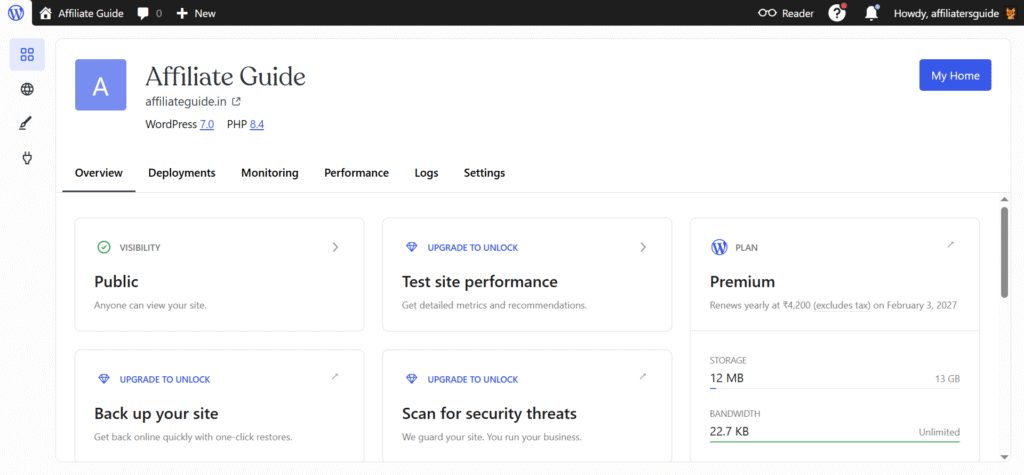
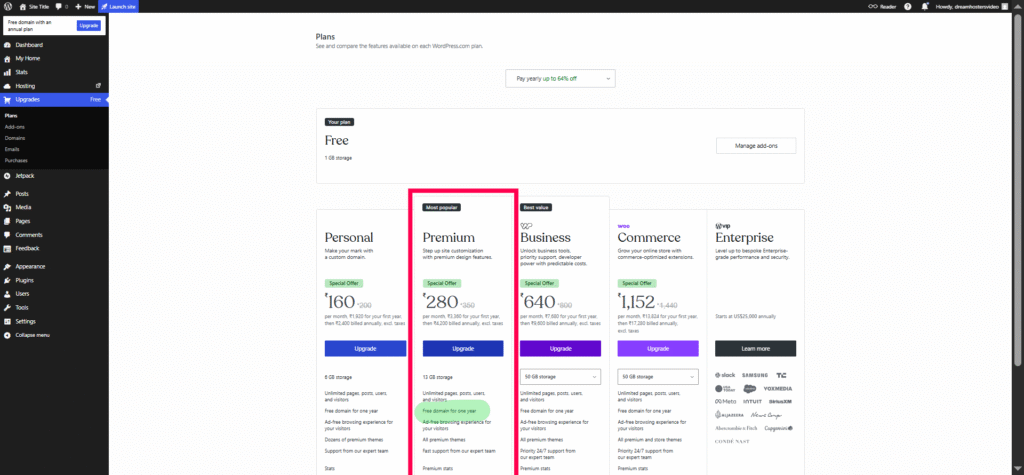
While the free plan is great for testing, a paid plan gives you a custom domain (free for one year with annual plans), better customization options, and a more professional appearance. With the domain and hosting setup complete, your blog will have a solid foundation for future growth.
Step 3: Install WordPress
Installing WordPress on WordPress.com is simple and requires no technical expertise. After creating your account and selecting a plan, WordPress.com automatically sets up your website for you. There is no need to configure databases, upload files, or perform manual installations.
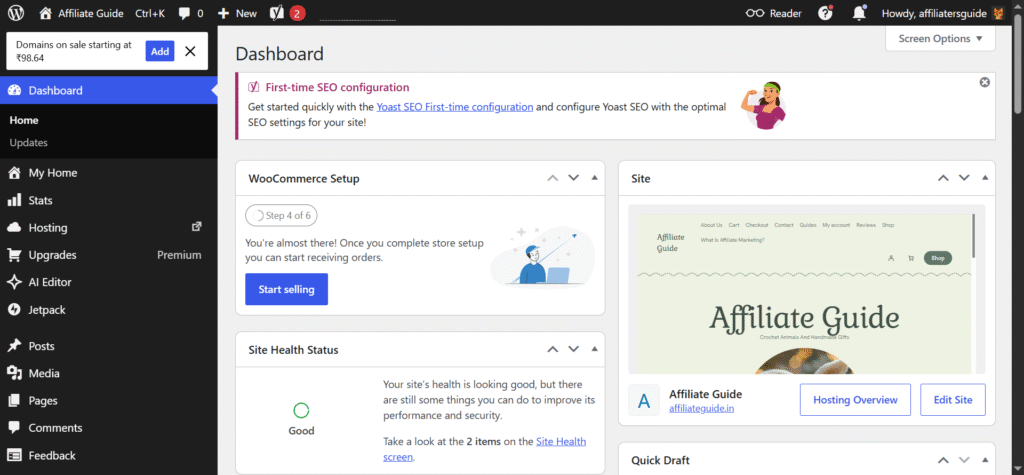
Once your site is ready, log in to the WordPress dashboard, which serves as the control center for your blog. From here, you can create posts and pages, upload media, customize your site’s appearance, and manage settings.
Step 4: Learn the WordPress Dashboard Basics
The WordPress dashboard is the control center of your blog. From here, you can create content, upload media, customize your site’s design, and manage important settings. Taking time to learn the dashboard early will make blogging much easier.
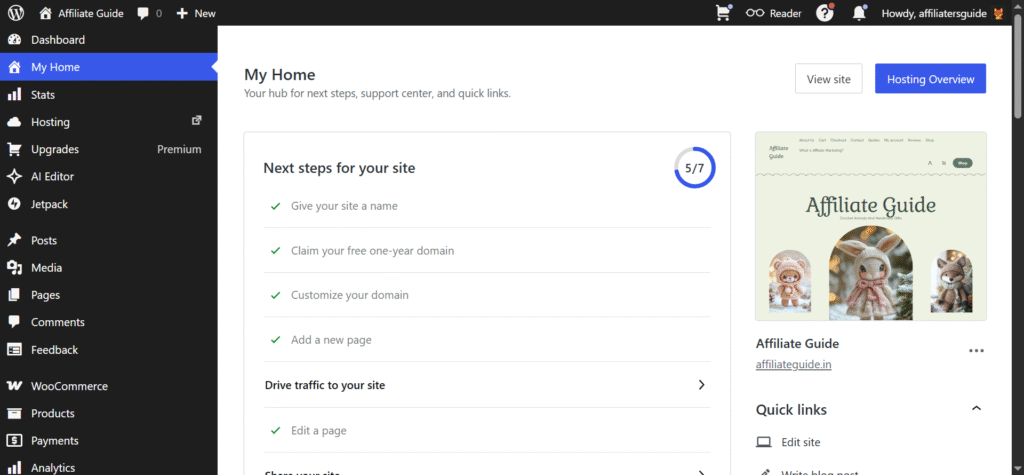
The main menu includes sections such as Posts, Pages, Media, Appearance, and Settings. Remember that posts are used for regular blog articles, while pages are for static content like About, Contact, and Privacy Policy pages.
You’ll also use the WordPress block editor to create and format content. It lets you add text, images, videos, buttons, and other elements using simple drag-and-drop blocks. Before publishing, review key settings such as your site title, tagline, and permalink structure to ensure your blog is set up correctly from the start.
Step 5: Design Your WordPress Blog
Your blog’s design creates the first impression for visitors. A clean, professional layout helps build trust, improves readability, and encourages readers to stay longer on your site.
Start by choosing a WordPress theme that is simple, mobile-friendly, and easy to navigate. WordPress.com offers a wide selection of free and premium themes that can be installed with just a few clicks. Free themes are perfect for beginners, while premium themes provide more design flexibility and advanced features.
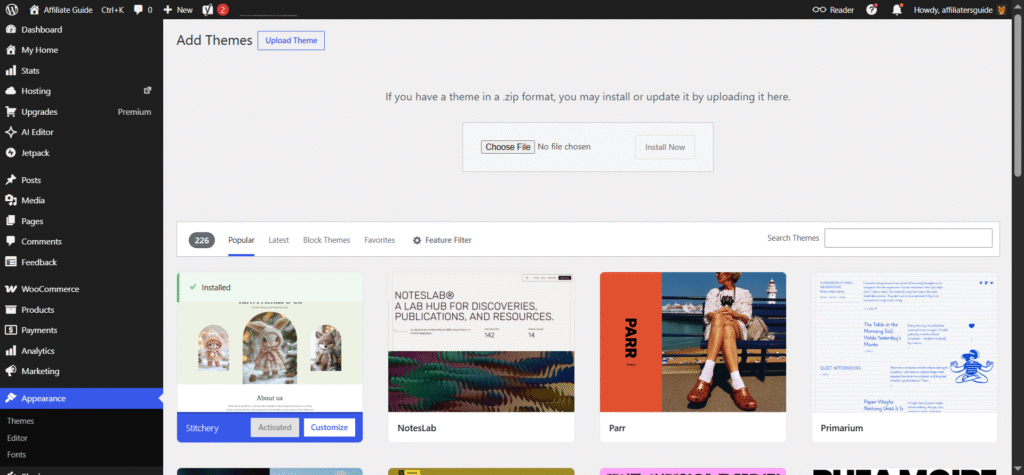
Once you’ve selected a theme, customize it to match your brand or style. Adjust colors, fonts, headers, and layouts using the built-in customization tools. Keep the design clean and uncluttered so visitors can focus on your content and easily find what they’re looking for.
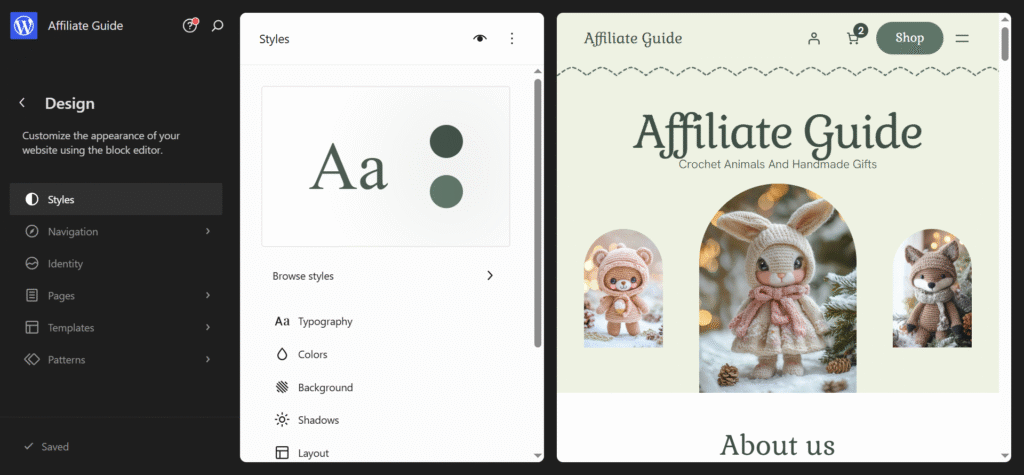
Navigation is another important aspect of design. Create clear menus that help visitors find your content easily. Common menu items include Home, Blog, About, and Contact. A well-structured navigation system improves user experience and encourages visitors to explore your site.
A thoughtful design enhances your blog’s credibility and usability, making it more appealing to both readers and search engines.
Step 6: Create Essential Pages
Before publishing your first blog post, create a few essential pages that make your website look complete and professional. These pages help visitors learn more about you, contact you, and navigate your site with ease.
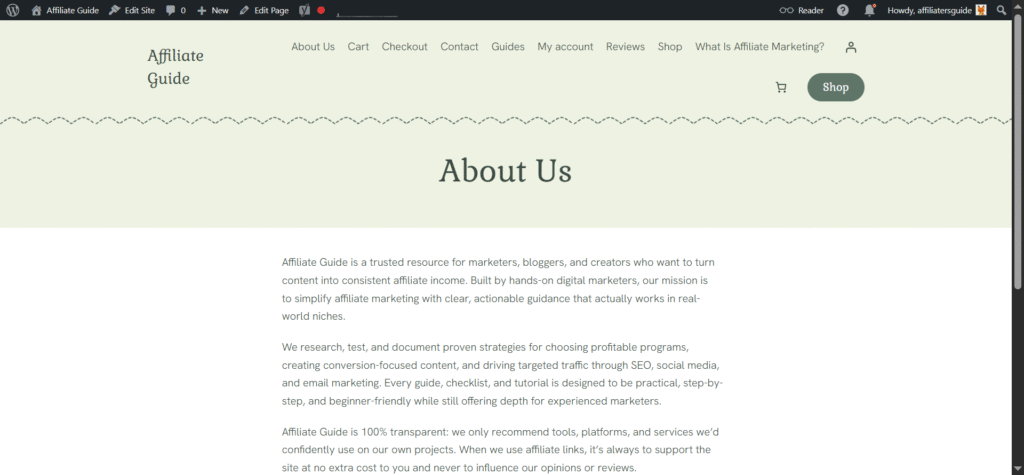
Start with an About page to introduce yourself and explain your blog’s purpose. Add a Contact page so readers, potential partners, or clients can reach you. You should also create a Privacy Policy page, especially if you collect visitor data through forms, analytics, or email subscriptions.
Finally, make sure your Blog page is easy to find from the main menu. Having these core pages in place improves user experience, builds trust, and gives your website a solid foundation from day one.
Step 7: Write and Publish Your First Blog Post
Now it’s time to publish your first blog post. From your WordPress dashboard, go to Posts → Add New and start writing. Choose a clear, descriptive title and focus on providing useful information to your readers.
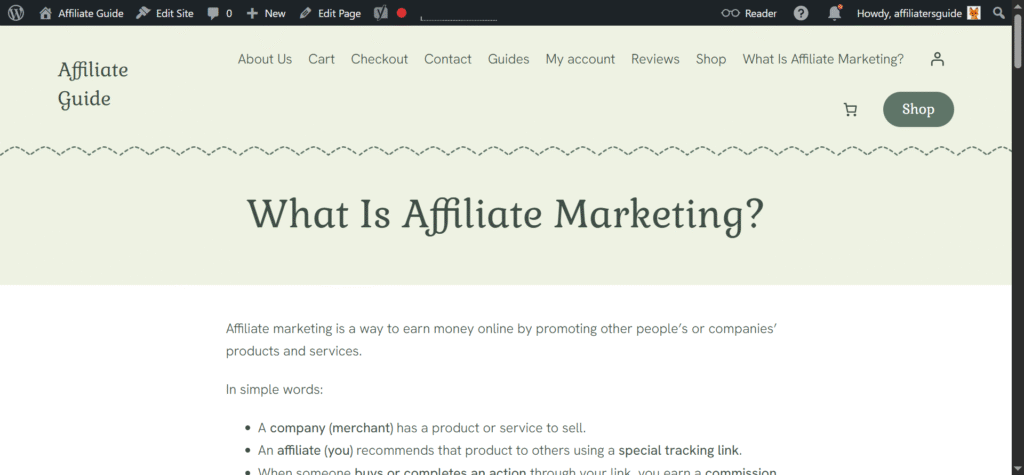
Keep your content easy to read by using short paragraphs, headings, and relevant images. Organize your post with appropriate categories and tags so visitors and search engines can understand your content more easily.
Before publishing, preview your post to check for formatting issues, spelling mistakes, or broken links. Once everything looks good, click Publish. Don’t worry about making your first post perfect. The most important step is getting started and building momentum for your blogging journey.
Step 8: Install Essential WordPress Plugins
Plugins add extra features and functionality to your WordPress blog without requiring any coding skills. They can help improve security, performance, SEO, backups, and overall user experience.
Focus on installing only the essentials. Start with plugins for security and backups to protect your site, performance tools to improve loading speed, and SEO plugins to help your content rank better in search engines. These core plugins provide a strong foundation for a growing blog.
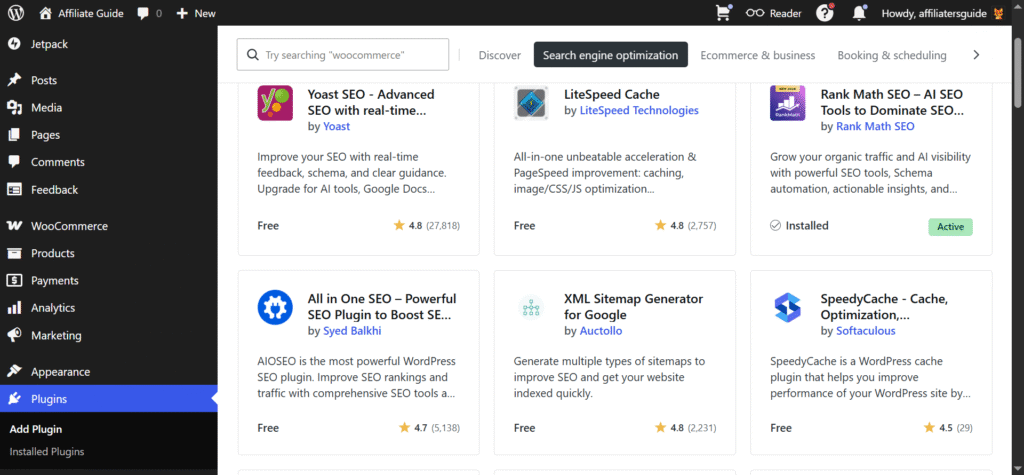
Avoid installing too many plugins, as they can slow down your website and create compatibility issues. Regularly update the plugins you use and remove any that are no longer needed. A small, well-maintained plugin collection will keep your blog secure, fast, and easy to manage.
Step 9: How to Grow Your WordPress Blog
Launching your blog is only the beginning. To attract more visitors, focus on creating helpful content that answers your audience’s questions. Use basic SEO practices such as clear titles, relevant keywords, and well-structured articles to improve your visibility in search engines.
Promote your content through social media, email newsletters, and online communities instead of relying solely on search traffic. The more places people can discover your content, the faster your audience can grow.
Most importantly, stay consistent. Publish new content on a regular schedule and use analytics tools to track your progress. By learning what works and continually improving, your blog will gradually attract more readers and build long-term success.
Common Mistakes When Starting a WordPress Blog
- Waiting too long to publish your first post.
- Spending too much time perfecting your design instead of creating content.
- Choosing a niche you are not genuinely interested in.
- Covering too many unrelated topics on the same blog.
- Installing too many plugins, which can slow down your website.
- Ignoring website backups and basic security measures.
- Neglecting SEO fundamentals from the beginning.
- Publishing inconsistently and abandoning a content schedule.
- Comparing your progress to established bloggers and getting discouraged.
- Trying to master writing, SEO, design, and marketing all at once, leading to burnout.
Conclusion
Starting a blog on WordPress.com in 2026 is easier than ever. From choosing a niche and setting up your website to publishing content and growing your audience, the platform provides everything you need to launch a professional blog without technical complexity.
The key to success is taking action. Focus on creating valuable content, stay consistent with your publishing schedule, and continue learning as your blog grows. Don’t worry about making everything perfect on day one. Every successful blog started with a single post.
If you’re ready to share your ideas, build an online presence, or grow a business, now is the perfect time to start. Create your WordPress.com blog today and take the first step toward building something that can grow with you for years to come.
Ready to launch your blog today? Don’t overthink it—get your site live in minutes and start building your audience now. WordPress.com makes it simple, fast, and beginner-friendly.
🙏 Disclosure & Thank You
This post contains affiliate links. As an affiliate partner of WordPress.com , I may earn a commission if you purchase through these links.
This comes at no additional cost to you and helps support the content published on DreamHosters. Thank you for your support.
Frequently Asked Questions – FAQs
1. Is WordPress.com good for beginners in 2026?
Yes, WordPress.com is one of the best platforms for beginners. It handles hosting, security, and updates for you, so you can focus on creating content instead of dealing with technical setup. The interface is intuitive, and you can launch a blog within minutes.
2. How much does it cost to start a blog on WordPress.com?
You can start for free, but most serious bloggers upgrade to a paid plan for a custom domain and better features. Typically, you can expect to spend around ₹800–₹1,200 per year for a domain (domain free in annual plans) and a few thousand rupees annually for hosting, depending on the plan you choose.
3. Can I make money from a WordPress.com blog?
Yes, you can monetize your blog through ads, affiliate marketing, sponsored posts, and selling products or services. However, some monetization features are only available on higher-tier plans, so you may need to upgrade as your blog grows.
4. Do I need coding skills to start a WordPress blog?
No, coding is not required. WordPress.com provides themes, templates, and a visual editor that allow you to design and manage your blog easily. You can create and customize your site using simple drag-and-drop tools.
5. How long does it take to start a WordPress blog?
You can set up a basic blog in less than an hour. However, building a successful blog with quality content and consistent traffic takes time and effort. Most bloggers start seeing meaningful results after a few months of consistent publishing.