

7 Surprises After a Week on WordPress.com
When I first signed up for WordPress.com, I expected a fairly typical website-building experience. After all, WordPress has been around for decades, and most of us have a general idea of what it offers. What I didn’t expect was how different the platform feels in 2026 compared to the version many bloggers remember.
To evaluate it properly, I spent a full week building and managing a real blog on WordPress.com. I went through the onboarding process, tested multiple themes, created content using the block editor, explored SEO and monetization features, and published several articles. Rather than relying on feature lists or marketing claims, I wanted to see how the platform performed in day-to-day use.
Some aspects exceeded my expectations. Others revealed trade-offs I hadn’t considered before. Most importantly, the experience gave me a much clearer understanding of who WordPress.com is designed for today. If you’re considering WordPress.com for your next blog, portfolio, or small business website, here are the seven things that surprised me the most after using it for a week.
TL;DR
After spending a week on WordPress.com, I was surprised by how quickly I could launch a blog, customize its design with themes, and start publishing content without worrying about hosting, security, updates, or performance. The Block Editor was easier to use than expected, built-in subscriber and monetization features were available early, and I never felt the need for extra performance plugins.
The biggest takeaway? I spent far more time creating content than managing technical settings. While advanced users may prefer the flexibility of a self-hosted WordPress site, WordPress.com is an excellent choice for anyone who wants to focus on blogging rather than website maintenance.
👉 Want to try it yourself? Get started WordPress.com
1. I Had a Functional Blog Online in Less Than 30 Minutes
The first thing that surprised me about WordPress.com was how quickly I could go from having no website at all to having a functional blog that looked ready for visitors. I expected the process to take at least an hour or two, especially since I wanted to explore the available options rather than simply clicking through every screen. Instead, I had a working blog online in less than 30 minutes.
The sign-up process was straightforward and beginner-friendly. After creating my account, WordPress.com guided me through a series of onboarding questions about the type of website I wanted to build. Rather than immediately dropping me into a complex dashboard, the platform first tried to understand my goals. I was asked about the purpose of my website, the type of content I planned to publish, and the overall style I preferred.
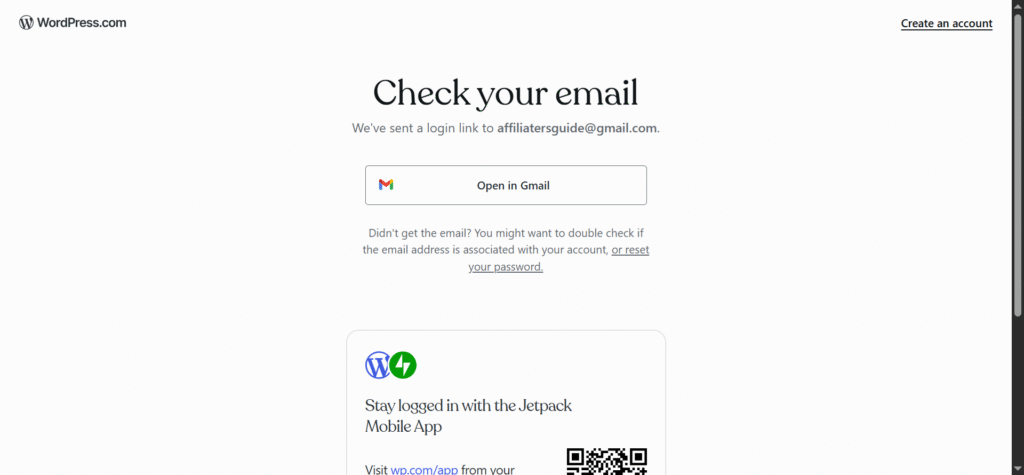
What impressed me was how these questions actually influenced the recommendations that followed. Instead of showing hundreds of random design options, WordPress.com suggested themes and layouts that matched the blogging-focused website I wanted to create. For a new user, this removes much of the confusion that often comes with building a website for the first time.
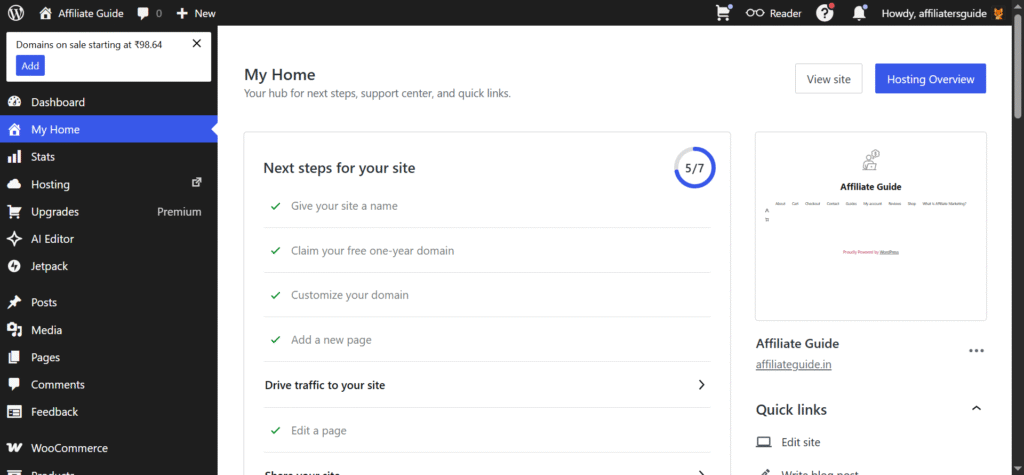
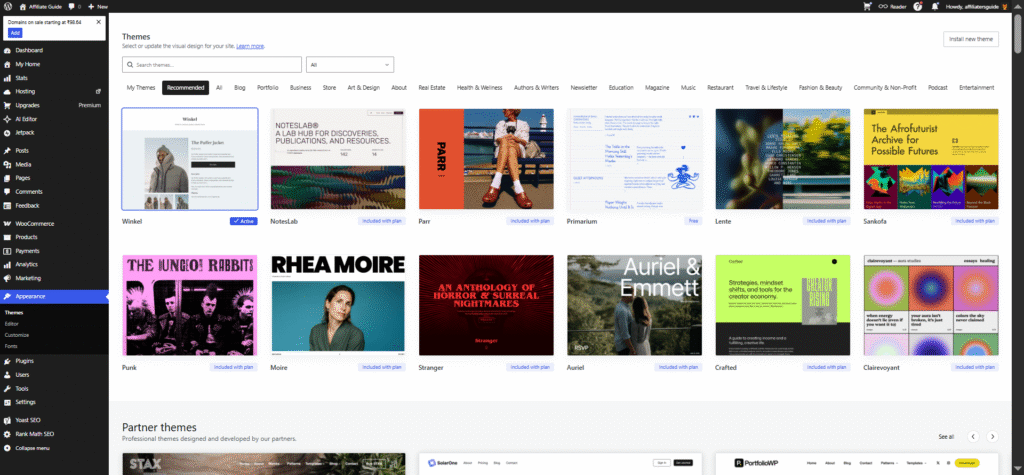
The next decision involved selecting a theme. I expected to spend a long time comparing designs, but the curated recommendations made the process easier than anticipated. I tested several themes before settling on one that offered a clean layout, readable typography, and a professional appearance suitable for long-form articles.
One thing I noticed immediately was that modern WordPress.com themes feel more polished than many of the themes I remember from years ago. They are designed with mobile devices in mind, have attractive default layouts, and require very little customization before looking presentable.
Within minutes, I found myself looking at a completed website rather than a collection of unfinished settings. The homepage looked professional, navigation menus were already in place, and I could immediately start creating content.
My first impression of the dashboard was equally positive. The interface felt modern, clean, and focused. Most of the options I needed were clearly visible, while more advanced settings remained accessible without cluttering the screen. As someone who has worked with various website builders and hosting control panels over the years, I appreciated how approachable everything felt.
By the end of the first half hour, I had a functioning blog, a selected design, a clear understanding of the dashboard, and my first draft article ready to be written. That experience immediately changed my expectations for the rest of the week. Instead of spending days configuring a website, I was able to focus almost entirely on creating content, which is exactly what most bloggers want to do in the first place.
2. Changing Themes Completely Changed How My Content Looked
Before using WordPress.com for this test, I viewed themes mainly as design choices. In my mind, selecting a theme was similar to choosing a paint color for a room. It would affect the appearance of the site, but the content itself would remain largely the same. After spending a week with WordPress.com, I realized how wrong that assumption was.
One of the biggest surprises during my testing was discovering how dramatically a theme could change not only the visual appearance of a website but also the way content is presented, consumed, and experienced by visitors. Changing themes felt less like swapping designs and more like giving my blog an entirely new personality.
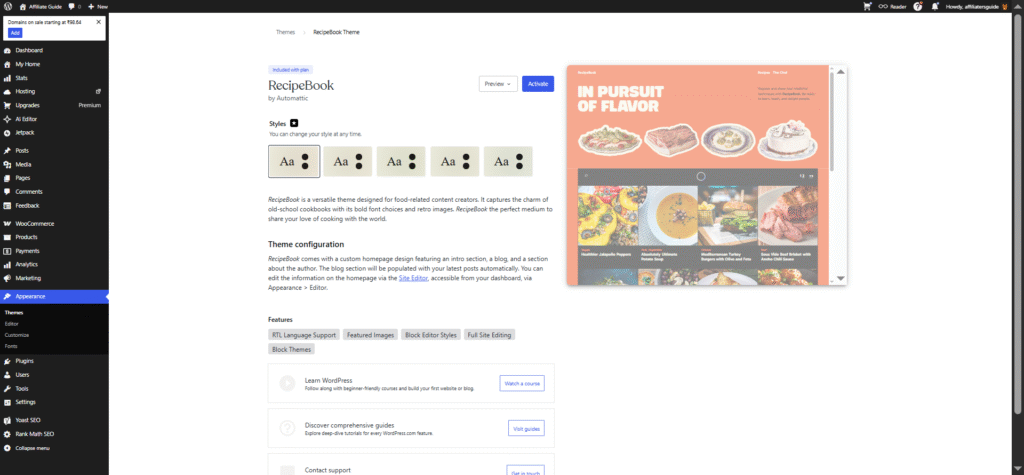
When I first created my blog, I selected a clean and minimal theme designed for bloggers. My goal was simple: create a distraction-free reading experience where visitors could focus on the articles themselves. The theme featured large typography, generous spacing, and a straightforward layout that placed content at the center of attention. At first glance, it looked excellent.
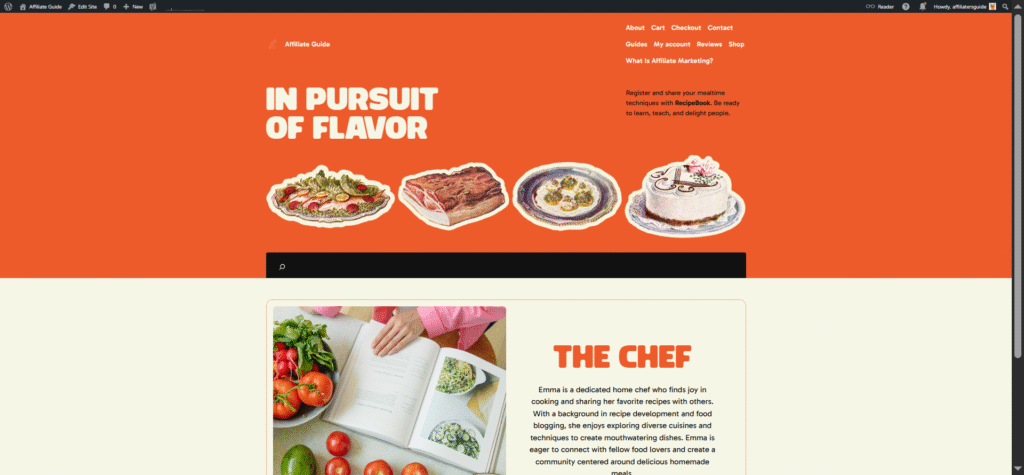
The homepage displayed recent articles clearly, navigation was easy to understand, and the overall presentation felt professional. For a personal blog or content-focused website, it seemed like the perfect starting point.
However, after publishing a few sample posts and spending some time navigating the site as a visitor, I became curious about how the same content would appear under different themes. That’s when the real surprises began.
Testing a More Visual Theme
My second theme choice was significantly different. Instead of emphasizing text, it prioritized images and featured content sections. Large hero banners, featured post areas, and visual content blocks dominated the layout.
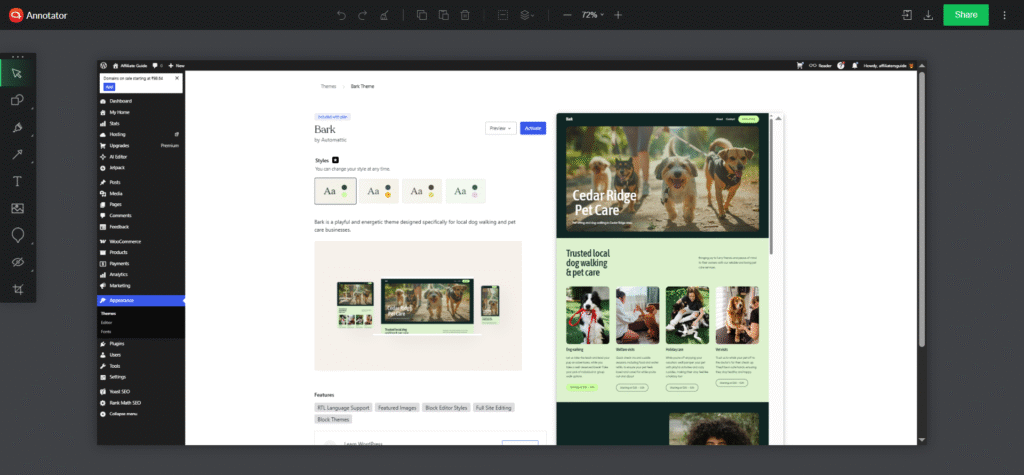
The moment I activated the new theme, my website felt completely different. The articles themselves hadn’t changed. The text, images, categories, and menus were all exactly the same. Yet the overall impression of the website shifted dramatically.
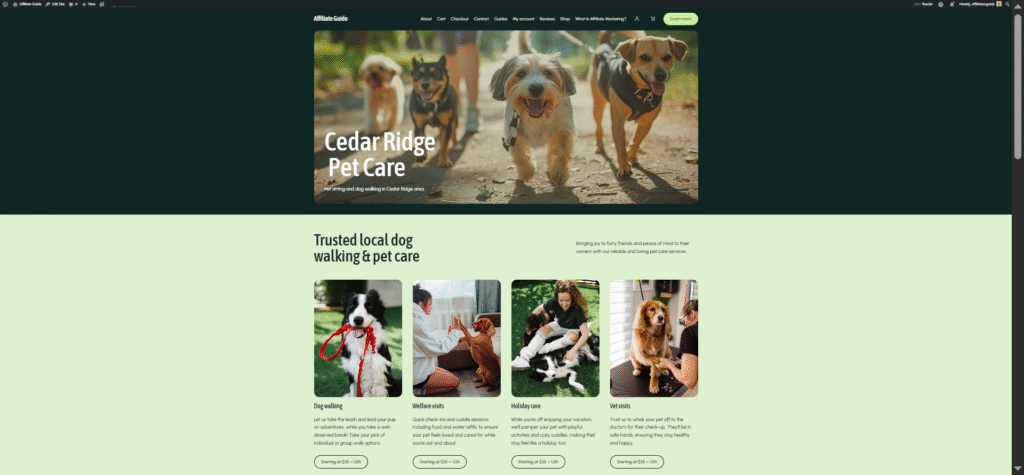
Instead of feeling like a traditional blog, it suddenly resembled an online magazine. Posts that seemed ordinary in the first theme now appeared much more visually engaging because featured images received greater emphasis. Visitors were naturally drawn toward images and highlighted content rather than simply scrolling through a chronological list of articles.
This was my first major realization: themes influence how readers discover and interact with content. The theme wasn’t simply decorating my articles. It was shaping the reader’s journey.
Why I Switched Themes Multiple Times
The reason I experimented with multiple themes was simple: I wanted to understand how much flexibility WordPress.com offered without requiring advanced customization. Many website owners spend hours tweaking colors, fonts, widgets, and layouts. I wanted to see whether switching themes could achieve similar results more efficiently. The answer was yes.
Unlike self-hosted WordPress setups that often encourage unlimited customization, many WordPress.com themes feel intentionally opinionated. They are carefully designed with a specific purpose in mind. Initially, I viewed this as a limitation. Later, I started seeing it as a benefit.
👉 Read How to Customize Your WordPress.com Site with Global Styles and CSS
What Surprised Me the Most
The biggest surprise wasn’t that themes looked different. The biggest surprise was that they changed how I thought about my own content. A simple article could feel like a personal journal entry under one theme and a professional publication under another. The content remained identical, but the context changed completely.
This experience taught me that choosing a theme isn’t merely a design decision. It’s a strategic decision that influences branding, reader engagement, and overall user experience. By the end of the week, I stopped asking myself which theme looked best. Instead, I started asking which theme best supported the goals of the website.
3. The Block Editor Was Easier Than I Expected
Going into this experiment, I expected the editor to have a learning curve. Since I had experience with classic WordPress editors and other website builders, I was prepared to spend some time figuring things out. Surprisingly, the block editor turned out to be much easier to use than I anticipated.
Creating My First Article
My first real test came when I sat down to write the blog’s first article.
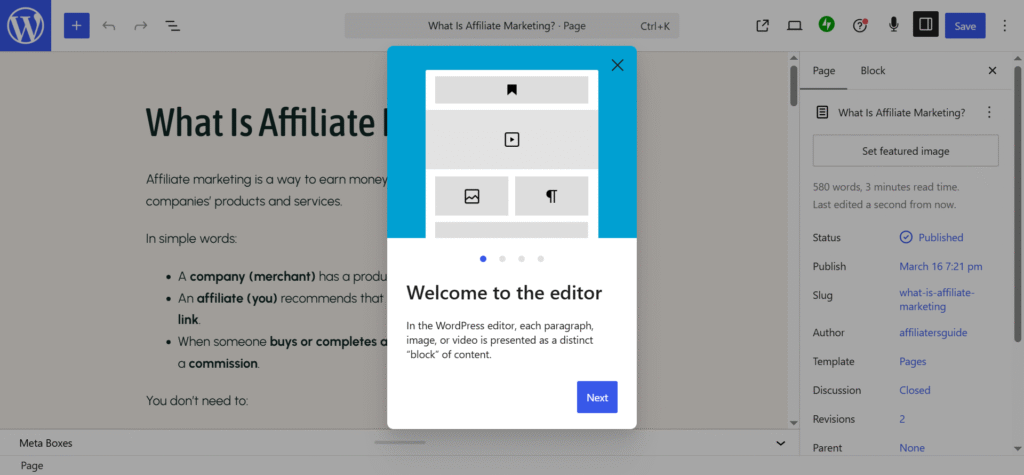
The editor opened with a clean writing canvas and a simple prompt inviting me to start typing. Unlike older editors that separated content creation from page design, the block editor immediately encouraged me to think about both at the same time.
I started by adding a title and writing a few introductory paragraphs. This part felt very natural. The editor behaved much like a modern writing application, allowing me to focus on the content without distractions. What impressed me was how visual everything felt. Instead of guessing how content would appear after publishing, I could see the layout taking shape in real time.
4. I Never Installed a Performance Plugin and Didn’t Miss It
One of the biggest surprises during my week of using WordPress.com had nothing to do with design, content creation, or monetization. Instead, it was something I didn’t have to do at all.
- I never installed a caching plugin.
- I never installed an image optimization plugin.
- I never searched for performance tweaks.
And perhaps most surprisingly, I didn’t miss any of them.
As someone who has spent years working with websites, particularly self-hosted WordPress installations, this felt unusual. Performance optimization has traditionally been one of the most time-consuming aspects of running a website. Before publishing content, many website owners find themselves researching caching plugins, image compression tools, content delivery networks, and speed optimization techniques.
With WordPress.com, that entire process felt different.
My Usual Performance Setup Process
Whenever I launch a self-hosted WordPress website, performance optimization is usually one of my first priorities.Before publishing multiple articles, I typically spend time:
- Installing a caching plugin
- Configuring cache settings
- Optimizing images
- Testing page speed
- Evaluating loading times
- Checking Core Web Vitals
- Removing unnecessary scripts
This process can easily consume several hours. In some cases, it can even take days of experimentation before everything works properly. For experienced WordPress users, this is simply part of the workflow. For beginners, however, it can be overwhelming. That is why my WordPress.com experience felt so different from the very beginning.
No Caching Setup Required
One of the first things I noticed was the absence of the usual performance-related decisions. I wasn’t asked to install a caching plugin. I didn’t need to compare different cache solutions. There were no complicated settings pages asking me to choose cache expiration periods, browser caching rules, or minification options.
Everything simply worked. As I published content and browsed my site, pages loaded quickly and consistently. The platform handled the technical side behind the scenes.
Initially, I found myself looking for performance settings because I was so accustomed to configuring them manually. After a few days, I stopped searching. The reality was simple: the site was performing well enough that I didn’t feel the need to intervene.
Images Required Almost No Attention
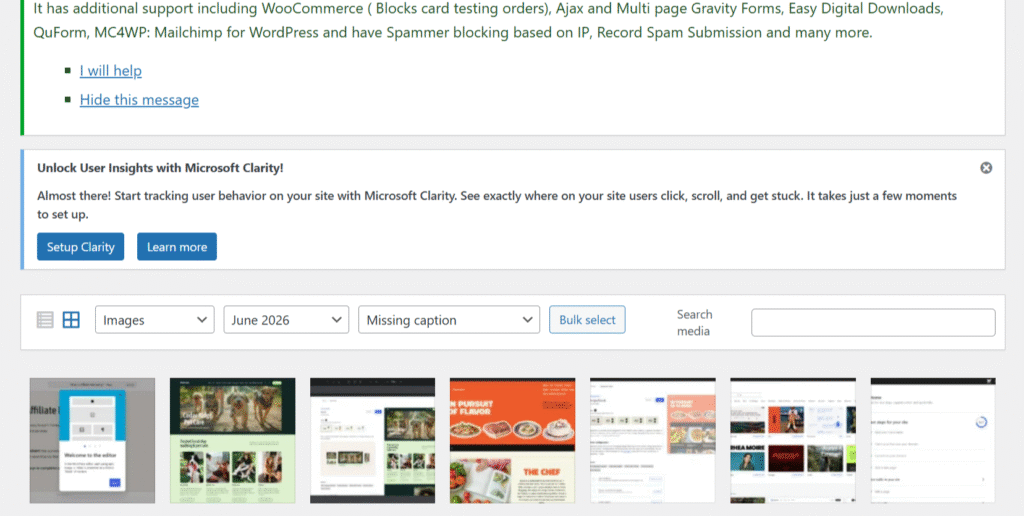
The second major surprise involved image management.
Images are often one of the biggest contributors to slow-loading websites. On many platforms, uploading large screenshots or high-resolution photos can quickly affect performance if proper optimization isn’t in place.
During my week of testing, I uploaded numerous screenshots while documenting my WordPress.com experience. Normally, this would trigger a familiar routine:
- Resize images
- Compress files
- Test loading speed
- Check image quality
- Verify mobile performance
This time, I skipped most of those steps. WordPress.com handled image optimization automatically. The screenshots looked sharp, uploaded quickly, and displayed correctly across different devices. More importantly, I never experienced the anxiety that often accompanies image-heavy content. I wasn’t constantly wondering whether a large image would slow down the website.
That peace of mind was surprisingly valuable. While advanced users may still prefer having complete control over image optimization strategies, most bloggers will appreciate not having to think about it.The platform quietly manages a task that would otherwise require additional tools and ongoing maintenance.
The Real-World Loading Experience
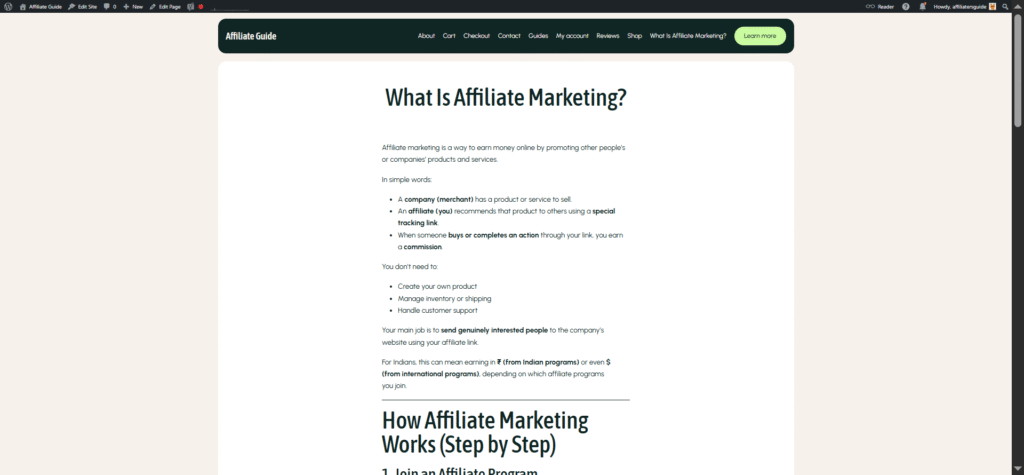
Technical performance metrics are important, but what ultimately matters is how a website feels to actual visitors. Throughout the week, I regularly viewed my website from different devices and browsers. I opened articles on desktop computers, tablets, and smartphones to see whether the experience remained consistent.
The result was encouraging.
- Pages loaded quickly.
- Navigation felt responsive.
- Images appeared without noticeable delays.
- Articles were immediately readable.
Most importantly, there were no obvious performance issues demanding my attention. This may sound like a small achievement, but it represents a major shift from the traditional WordPress experience. On self-hosted websites, performance often feels like a responsibility. With WordPress.com, performance felt like a service.
The difference is subtle but significant. Instead of asking, “How can I make this site faster?” I found myself focusing on questions like:
- What should I publish next?
- How can I improve my content?
- What topics would help my readers?
Performance faded into the background where it belongs.
What Surprised Me Most
The biggest surprise wasn’t that the website loaded quickly. The biggest surprise was that I stopped thinking about performance altogether. In the past, performance optimization was always part of launching a website. It was something I expected to manage continuously.
With WordPress.com, it became largely invisible. By the end of the week, I realized I had spent virtually no time dealing with caching, image optimization, or speed-related troubleshooting. Instead, I spent that time writing articles, testing features, and exploring the platform.
5. I Spent More Time Writing Than Chasing SEO Scores
As someone who has spent years working with blogs and websites, I expected SEO to play a major role in my WordPress.com experience. In fact, one of my first thoughts after launching the site was, “Where are all the SEO settings?”
On many WordPress websites, SEO becomes a project of its own. Installing SEO plugins, configuring settings, analyzing keywords, chasing optimization scores, and tweaking metadata can consume almost as much time as writing the content itself.
What surprised me during my week with WordPress.com was how little time I spent worrying about SEO and how much time I spent actually writing. That doesn’t mean SEO was ignored. Instead, it felt like WordPress.com took a different approach. Rather than constantly pushing me to optimize for scores, it encouraged me to focus on creating useful, well-structured content.
My Writing Workflow Felt Simpler
When I sat down to write my first article, I expected to see various SEO indicators competing for my attention. On many self-hosted WordPress websites, SEO plugins immediately start displaying scores, recommendations, keyword suggestions, readability warnings, and optimization checklists.
While these tools can be useful, they can also become distracting. I’ve often found myself making small edits simply to increase a score rather than improve the article itself. WordPress.com felt different.
The writing experience remained focused on content creation. The editor encouraged me to organize ideas using headings, images, lists, and structured formatting rather than constantly evaluating every sentence through an SEO lens. This created a much more enjoyable workflow.
Instead of asking:
- Is my keyword density correct?
- Why is my SEO score yellow instead of green?
- What minor change will increase my score by two points?
I found myself asking:
- Is this section useful?
- Is the article easy to read?
- Am I answering the reader’s question?
Those questions ultimately matter far more than any SEO score.
Managing URLs Was Surprisingly Easy
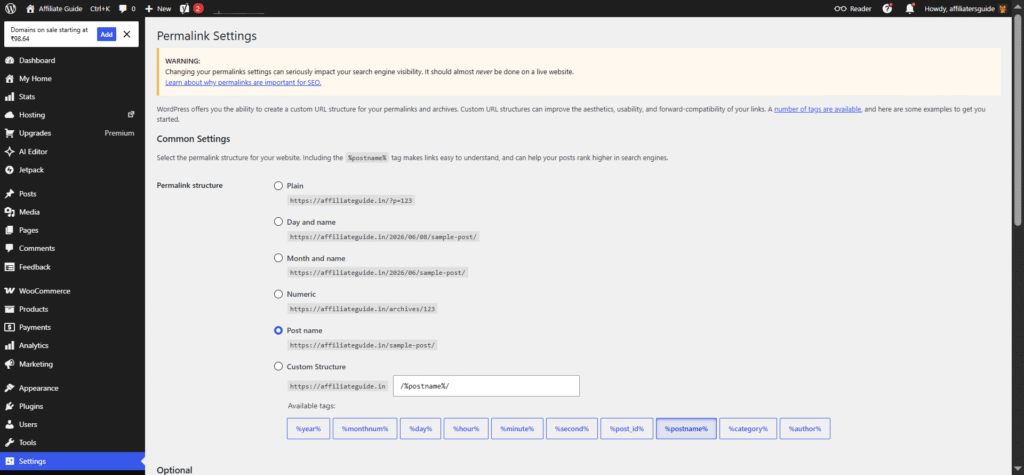
One area where WordPress.com maintained simplicity was URL management. As I created articles, the platform automatically generated clean, readable URLs based on the article titles. In most cases, the suggested URL required little or no modification.
When I wanted to customize a URL, the process was straightforward. The permalink settings were easy to find and edit without navigating through complicated menus. This may seem like a small feature, but it contributes significantly to both user experience and SEO.
Clean URLs help visitors understand what a page is about before they click. They also make content easier to share and remember. Throughout my testing, I appreciated how WordPress.com handled this aspect without introducing unnecessary complexity. The platform seemed to follow a consistent philosophy: provide the essentials, but don’t overwhelm users with technical details.
What Surprised Me Most
The biggest surprise wasn’t that SEO existed. The biggest surprise was that SEO didn’t dominate the writing process. For years, many blogging platforms and plugins have trained us to focus on scores, checklists, and optimization metrics. While those tools have value, they can sometimes distract from the primary goal of creating content people actually want to read.
During my week with WordPress.com, I found myself spending less time tweaking settings and more time developing ideas.
- I published content faster.
- I edited less obsessively.
- I enjoyed writing more.
That doesn’t mean SEO is unimportant. It simply means the platform places content creation first and optimization second. By the end of the week, I realized I wasn’t chasing green scores anymore. I was focusing on producing useful articles. And in the long run, that’s probably one of the healthiest SEO strategies any blogger can follow.
6. WordPress.com Started Showing Me Monetization Options Earlier Than Expected
When I started this one-week WordPress.com experiment, monetization wasn’t at the top of my priority list. My main goal was to build a blog, publish content, test the editor, and understand the overall user experience. However, one thing surprised me during the process: WordPress.com started introducing monetization opportunities much earlier than I expected.
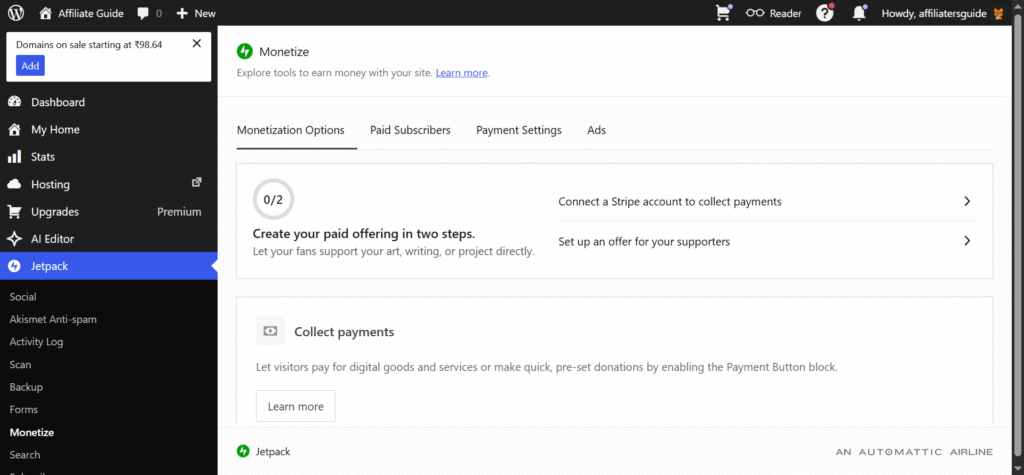
In the past, monetization often felt like something reserved for established websites with large audiences. You would spend months building traffic before even thinking about subscriptions, memberships, newsletters, or premium content.
WordPress.com takes a different approach. Rather than waiting until your site becomes popular, the platform encourages creators to think about audience growth and monetization from the beginning.
Subscription Tools Were Easier to Discover Than I Expected
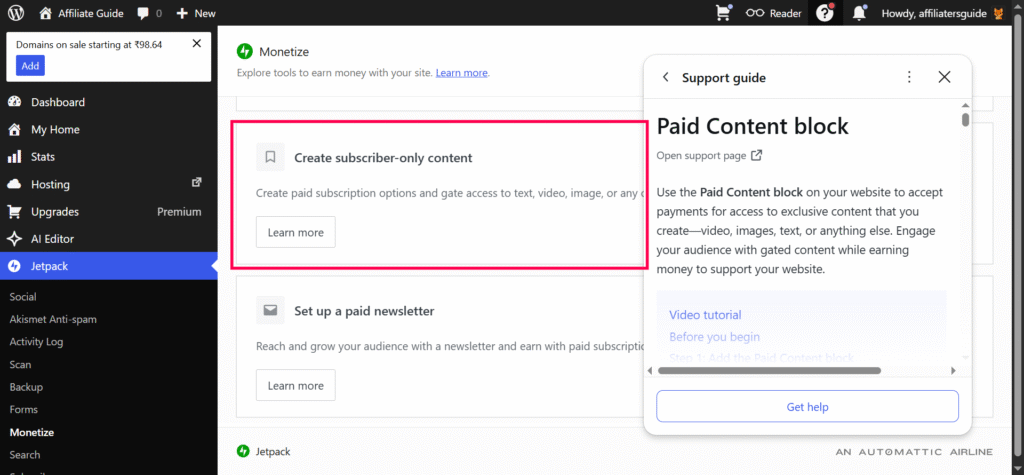
One of the first monetization-related features I noticed was the built-in subscription system. As I explored the dashboard, I discovered that WordPress.com makes it remarkably easy for visitors to subscribe to your content. The platform doesn’t treat subscriptions as an advanced feature hidden deep inside the settings menu. Instead, it presents subscriber growth as a natural part of building a website.
This immediately caught my attention. On many traditional WordPress websites, setting up subscriber functionality often requires installing additional plugins, connecting third-party email services, configuring forms, and troubleshooting integrations.
Here, much of that complexity is removed. The subscription tools are integrated directly into the platform, allowing creators to begin collecting subscribers without assembling multiple services together. Even though my test blog was brand new and had virtually no audience, WordPress.com was already encouraging me to think about long-term community building.
That mindset shift was interesting. Instead of focusing exclusively on page views, I started thinking about subscribers as an asset that could grow alongside the website.
Newsletter Features Felt Built Into the Publishing Process
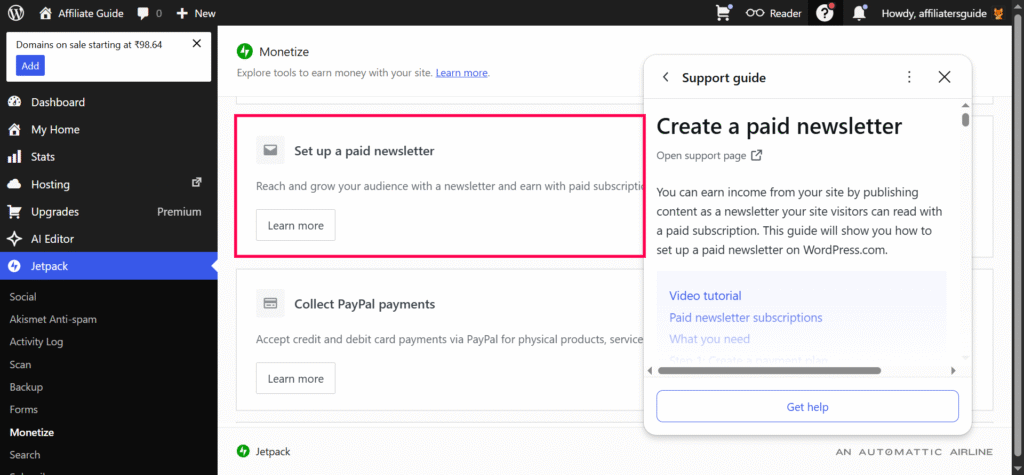
Another pleasant surprise was the newsletter functionality. Email newsletters have become increasingly important for bloggers and creators. Search engine traffic can fluctuate, social media algorithms can change, but an email subscriber list remains something you own and control. What impressed me was how naturally newsletters fit into the WordPress.com ecosystem.
WordPress.com Encourages Monetization Earlier
Perhaps the biggest surprise was how early WordPress.com introduces monetization concepts. Traditionally, many bloggers follow a predictable path:
- Launch a website.
- Publish content for months.
- Build traffic.
- Eventually explore monetization.
WordPress.com seems to encourage a different perspective. The platform subtly reminds creators that monetization doesn’t have to be an afterthought. As I explored various settings and creator-focused features, I noticed options related to:
- Paid subscriptions
- Premium content
- Donations or support mechanisms
- Membership-style experiences
- Audience growth tools
Even though I wasn’t actively trying to earn revenue during my test week, these options were visible enough to make me think about future possibilities. This approach felt surprisingly empowering. Rather than asking, “Can I monetize this blog someday?” the platform encouraged me to ask, “How might I monetize this blog if it grows?”
What Surprised Me Most
The biggest surprise wasn’t any specific monetization feature. It was the overall philosophy behind them. WordPress.com doesn’t wait for your website to become successful before introducing growth and monetization opportunities.
Instead, it encourages you to think about audience building, subscriptions, and long-term sustainability from the very beginning. After just a week of using the platform, I found myself thinking differently about my blog’s future.
Rather than viewing monetization as a distant goal, I started seeing it as a natural extension of building an audience and consistently publishing valuable content. For creators who want to focus on content while keeping future monetization opportunities open, that’s a surprisingly valuable advantage.
7. The Platform Kept Nudging Me Back to Publishing
One of the most unexpected discoveries during my week with WordPress.com wasn’t a feature, a design tool, or a monetization option. It was something much less obvious. The platform seemed designed to keep me moving forward.
Every time I logged in, I felt encouraged to continue working on my blog. Whether it was finishing a draft, updating a page, publishing a new article, or simply reviewing content ideas, WordPress.com constantly reduced the friction between intention and action.
By the end of the week, I realized I had published more content than I originally planned. That wasn’t because I suddenly became more disciplined. It was because the platform made publishing feel remarkably easy.
Drafts Were Always Waiting for Me
One feature I quickly came to appreciate was how WordPress.com handled drafts. Like many bloggers, I rarely finish every article in a single sitting. Most ideas begin as rough outlines before gradually evolving into complete posts.
Throughout my testing, I created several drafts at different stages of completion. Some contained only a title and a few bullet points. Others were partially written articles waiting for screenshots or additional editing.
What impressed me was how easy it was to return to unfinished work. Whenever I logged into the dashboard, my drafts were clearly visible and easy to access. The platform subtly reminded me that unfinished content was waiting. This may sound like a minor detail, but it’s surprisingly effective.
Scheduling Made Future Publishing Easy
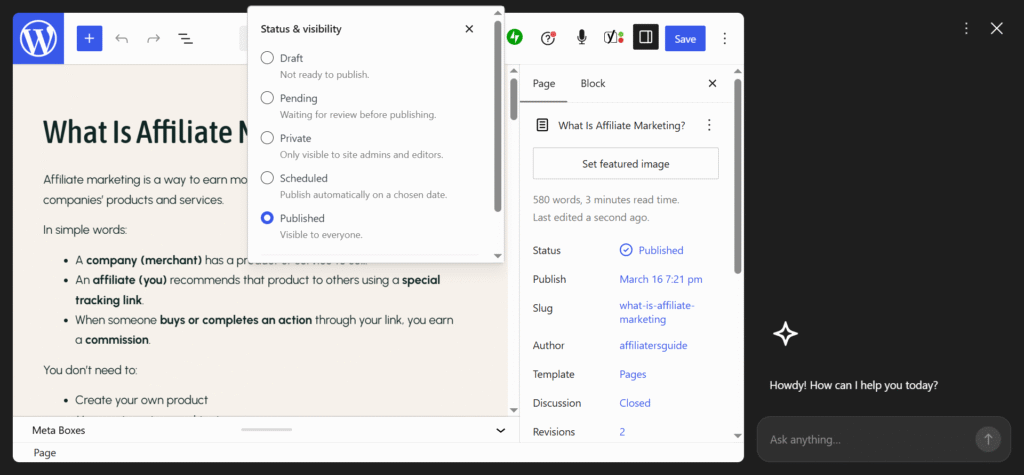
Another feature that positively influenced my workflow was post scheduling. Publishing immediately isn’t always the best option. Sometimes it’s better to prepare content in advance and release it at a specific date and time. The scheduling process was straightforward and required very little effort.
Once an article was ready, I could choose exactly when I wanted it to go live. The scheduling controls were easy to find and integrated naturally into the publishing workflow. What surprised me was how this changed my mindset. Instead of thinking only about today’s content, I started thinking about the next few days as well.
I could write when I felt productive and schedule content for later publication. This approach reduced pressure and created a sense of consistency. Even if I wasn’t actively working on the site every day, scheduled posts ensured that content would continue appearing regularly.
For bloggers trying to maintain a publishing routine, this can be incredibly valuable.
What Surprised Me Most
The biggest surprise wasn’t that WordPress.com made publishing easy. The biggest surprise was that it made me want to publish more. By the end of the week, I had created more content than I originally intended. Not because I forced myself to work harder, but because the platform removed many of the obstacles that typically slow content creators down.
WordPress.com didn’t just help me build a website. It helped me maintain a publishing habit. And for bloggers, creators, and small business owners, that may be one of the most valuable features of all.
Conclusion
After spending a week with WordPress.com, I can confidently say that its greatest strength is simplicity. The platform removes much of the technical complexity involved in running a website and lets you focus on what matters most: creating content, building an audience, and growing your online presence. While advanced users may find some limitations compared to self-hosted WordPress, most bloggers, creators, and small business owners will appreciate how quickly they can go from idea to published website.
Ready to Start?
If you’ve been waiting for the “perfect time” to launch your blog, stop waiting. Create your WordPress.com site today, publish your first post, and see how easy it is to turn your ideas into a live website. Your future readers can’t discover your content until you hit Publish.
🙏 Disclosure & Thank You
This post contains affiliate links. As an affiliate partner of WordPress.com , I may earn a commission if you purchase through these links.
This comes at no additional cost to you and helps support the content published on DreamHosters. Thank you for your support.
Frequently Asked Questions
1. Is WordPress.com good for beginners in 2026?
Yes. Based on my experience, WordPress.com is one of the easiest ways to start a website in 2026. The guided onboarding process, built-in hosting, automatic updates, and user-friendly editor make it ideal for beginners who want to focus on creating content rather than managing technical settings.
2. What is the biggest difference between WordPress.com and self-hosted WordPress?
The biggest difference is convenience versus flexibility. WordPress.com handles hosting, security, updates, and performance optimization for you, while self-hosted WordPress gives you complete control over your website. During my testing, I found WordPress.com significantly easier to manage.
3. Do I need plugins to improve performance on WordPress.com?
In my experience, no. Throughout my week of testing, I never installed a caching or performance plugin. Pages loaded quickly, images were optimized automatically, and the overall experience felt smooth without requiring additional optimization tools.
4. Can you make money with a WordPress.com blog?
Yes. WordPress.com includes several monetization options, including subscriptions, newsletters, premium content, and other creator-focused tools. The available features depend on your plan, but I was surprised by how early the platform introduced monetization opportunities during the setup process.
5. Would I recommend WordPress.com in 2026?
Yes, especially for bloggers, creators, freelancers, and small business owners who want a professional website without worrying about hosting, security, updates, and technical maintenance. If your goal is to publish content consistently and grow an audience, WordPress.com offers a streamlined experience that removes many common barriers to getting started.