

WordPress.com Vs WordPress.org: Which Is Better For Long-term Use?
All pricing and feature checks performed in September 2026 — double-checked against official WordPress.com pages and vendor docs.
Are you standing at the crossroads of your website journey, confused about which WordPress path to take? You’re in the right place.
🔎 TL;DR
For most creators and small businesses, WordPress.com is the fastest way to build an AI-powered, secure, and maintenance-free website. Choose WordPress.org only if you need full developer control or complex multisite setups.
🤖 AI made easy: Jetpack AI on WordPress.com works out-of-the-box.
⚙️ Total flexibility: WordPress.org gives developers full control but requires more maintenance.
What is WordPress.com? and WordPress.org?
Before we dive into the detailed comparison, let’s establish exactly what we’re comparing. The confusion between these two platforms isn’t your fault—even experienced web professionals sometimes mix them up.
Let’s clarify this once and for all.
WordPress.com: The Managed Platform Solution
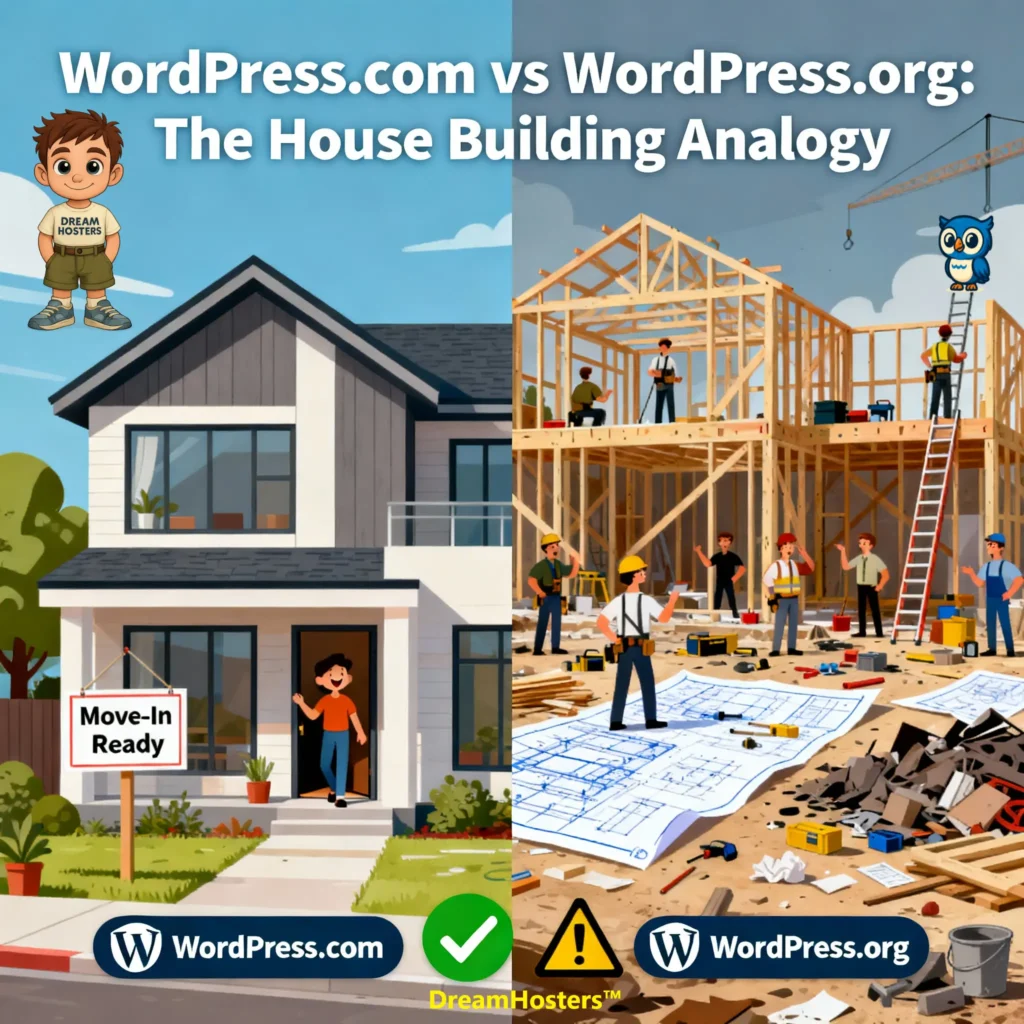
Imagine a different scenario: you want a house, but instead of building it yourself, you hire a premium contractor who handles everything — they own the land, manage construction, ensure security, and even include interior design (your premium themes and plugins).
You move in immediately and enjoy your home without worrying about maintenance — though you’re somewhat limited by what the contractor provides.
That’s WordPress.com.
It’s a fully managed hosting platform operated by Automattic, the company founded by WordPress co-creator Matt Mullenweg. Launched in 2005, it takes the open-source WordPress software from WordPress.org and wraps it in an all-in-one hosted environment — where Automattic manages performance, security, backups, and technical maintenance for you.
🔑 Key Characteristics
🏠 Hosted Service: Hosting is fully included and managed by Automattic.
💰 Tiered Pricing: Free plan with limitations; advanced features unlocked on paid plans.
🛡️ Managed Environment: No need to handle updates, backups, or security manually.
WordPress.com serves millions of websites — from personal blogs to global brands — providing a streamlined, secure, and AI-ready path to WordPress without the technical learning curve.
WordPress.org: The Self-Hosted Powerhouse
WordPress.org is the free, open-source CMS that puts you in complete control—but also in charge of setup, security, updates, and maintenance.
🔑 Key Characteristics
💻 100% Free Software: Download and use without cost.
🧩 Self-Hosted: Choose and pay for your own hosting provider.
🔧 Complete Control: Full access to site files, database, and server configurations.
🖌️ Unlimited Customization: Install any theme or plugin; modify any code.
🗝️ Full Ownership: Your site, your content, your rules.
WordPress.com vs WordPress.org: Complete Feature Comparison
| Feature | 💙 WordPress.com (Managed Platform) | ❤️ WordPress.org (Self-Hosted) |
|---|---|---|
| 🏠 Hosting | Included: Enterprise-grade hosting fully managed by Automattic. No setup or server management required. | You must find, purchase, and manage your own hosting provider and server environment. |
| 🎨 Themes & Design | Professionally designed themes with advanced customization, and third-party theme uploads on every paid plan, starting with Personal. | You find, install, and maintain your own themes — 11,000+ free themes or premium options from any source. |
| 🔒 Security | Included: Automatic security updates, SSL certificates, malware scanning, enterprise-level protection powered by Jetpack & Cloudflare Enterprise WAF. | You handle all security configuration yourself — install plugins like Wordfence or Sucuri for protection. |
| 💾 Backups | Included: Real-time automatic backups with one-click restore on Business and Commerce plans. Lower plans have server-level recovery. | You must configure and manage your own backup system using plugins (UpdraftPlus, BlogVault) or hosting tools. |
| 🤖 AI Tools | Included: Built-in Jetpack AI Assistant for writing, translation, summarization, and SEO content optimization — works immediately. | Requires installing and configuring third-party AI plugins (e.g., Elementor AI, AI Engine, or 10Web AI Builder). |
| 🔄 Maintenance | Included: Fully managed updates for WordPress core, plugins, and performance optimization handled by Automattic. | Manual updates for WordPress core, themes, and plugins are required to ensure compatibility and security. |
| 🔌 Plugin Installation | Included. Unlimited plugins. Get access to over 50,000 plugins. | Completely unrestricted: Install any of 60,000+ free plugins |
| 💻 Custom Code Access | Premium: Custom CSS only. Business+: Full access to HTML, CSS, PHP, and JavaScript. SFTP/SSH available. | Full access to all files, database configuration, and server-level customization with no restrictions. |
| ⚙️ Server/Developer Tools | Business+: WP-CLI, Git integration, phpMyAdmin database access, SFTP/SSH access. | Unlimited developer access and complete server-side customization based on hosting provider. |
| 🛒 WooCommerce | Commerce Plan: Pre-installed and optimized WooCommerce with premium extensions and store-ready themes included. | Manual setup required: install WooCommerce, configure payment gateways, purchase extensions separately. |
| 📈 Performance & CDN | Included: Cloudflare Enterprise CDN, advanced caching layers, auto-scaling infrastructure, consistent global speed. | Completely variable: depends on hosting quality, caching plugins (WP Rocket, W3 Total Cache), and manual CDN setup. |
| 📊 Monitoring | Included: Built-in uptime monitoring (Business+), downtime alerts, performance tracking, security scanning — no plugins needed. | You must implement third-party monitoring tools (UptimeRobot, Pingdom, WP Umbrella) or rely on hosting dashboards. |
| 🚀 Auto-Scaling | Included: Automatic resource scaling during traffic spikes with zero downtime — handles viral traffic seamlessly. | Depends entirely on hosting tier: shared hosting crashes; premium managed hosts or cloud infrastructure required for scaling. |
| 💬 Support | Included: 24/7 access to WordPress experts (“Happiness Engineers”) via live chat and email on paid plans. Free plan: community forums. | Support depends on hosting provider or community forums; no direct WordPress expert assistance. Premium hosts may offer WordPress-specific support. |
| 🔐 SSL Certificates | Included: Free SSL certificates auto-renewed for all custom domains on all paid plans. | Must configure manually via Let’s Encrypt (free) or purchase SSL certificates ($0–200/year depending on type). |
| ⏱️ Uptime Guarantee | 99.999% uptime target with enterprise-level infrastructure and automatic failover across global data centers. | Completely hosting-dependent: ranges from 99.0% (budget shared) to 99.99% (premium managed). No guarantees on lower tiers. |
| 💰 Pricing Model | Tiered subscription: $0–$540/year depending on plan. All-inclusive pricing with hosting, security, backups bundled. | “Free” software + separate costs: $48–$2,500+/year for hosting, domain, themes, plugins, backups, security, support. |
| ✅ Best For | Ideal For: Bloggers, small businesses, creators, and agencies seeking AI-powered, maintenance-free WordPress with professional hosting and expert support. | Best for developers and technical users who prefer full control, custom code, server-level configuration, and don’t mind maintenance responsibility. |
🧩 Final Take: Managed Confidence vs. Manual Control
In the WordPress.com vs WordPress.org infrastructure showdown, the trade-off is clear:
💙 WordPress.com offers hands-free performance, security, and scalability — ideal for creators and entrepreneurs who value simplicity and uptime.
💚 WordPress.org offers total technical freedom — ideal for developers and experts who love customizing every layer of their site.
Both share the same WordPress DNA — but differ in how much you want to manage.
Before You Go 🚀
🌟 Start Your WordPress.com Site (No Hidden Fees)
Looking for a hosting plan that won’t surprise you later? WordPress.com’s flat-rate plans with unlimited traffic keep things simple, so you can focus on building your site, not decoding hidden fees.
👉 Get Started with WordPress.com
💙 Affiliate Disclosure
DreamHosters is reader-supported. If you purchase through links on this site, I may earn a small commission — at no extra cost to you.
All reviews are written with honesty and independence — compensation never influences rankings or recommendations.
FAQs about WordPress.com vs WordPress.org
| FAQs | WordPress.com | WordPress.org |
|---|---|---|
| 1. Who hosts the website? | WordPress.com manages hosting, so you don’t have to deal with servers or setups. | You arrange your own hosting, giving you total freedom but full responsibility. |
| 2. Do I need coding skills? | No coding needed — beginner-friendly and setup is wizard-based. | Not required, but tech skills help with setup, customizations, and troubleshooting. |
| 3. Can I use any plugin or theme? | Plugins and Themes included. Get access to over 50,000 plugins. | Yes, you can use and modify any plugin or theme you want, without restriction. |
| 4. Who manages updates and security? | Automatic — all core updates, security patches, and backups are handled for you. | You manage your own updates, backups, and site security (or hire someone). |
| 5. How easy is it to earn money? | You can monetize. | Complete freedom to run ads. |
| 6. How much does it cost? | Free for the basics, then $4/month for advanced features. | Free WordPress, but pay for hosting, domain, premium plugins/themes. Cost varies from $40/year to thousands. |
| 7. Who owns my content and data? | You own your content, but your site is on WordPress.com’s servers and must follow platform rules. | You own everything: files, database, and code; complete portability and no platform restrictions. |
| 8. Can I access the website’s code? | No access to raw server files or databases unless on the highest plans with custom options. | Yes — full FTP, database, and code access for maximum flexibility and customization. |
| 9. What support is available? | Email and live chat on paid tiers; community forums available to everyone. | No official support. Rely on hosting provider, online forums, or paid experts. |
| 10. Who should choose each? | Ideal for beginners, bloggers, and businesses wanting a worry-free, managed website. | Best for developers, tech-savvy users, or those who want total control and customization power. |