

WordPress.com for Small Businesses: Is It Worth It in 2026?
A Real Small-Business Site Test, Side by Side
In today’s digital world, a website is no longer optional for most small businesses. If you’re a consultant, freelancer, coach, local service provider, or small shop owner, potential customers search online before deciding whom to trust. A professional website builds credibility, showcases your services, answers common questions, and generates leads twenty-four hours a day, seven days a week. For many businesses, the website is the first impression customers have of your brand, often more important than a logo or a printed brochure.
But choosing the right platform is still hard. Some website builders are easy to use but limited in flexibility. Others offer powerful features at the cost of a steep learning curve. So I didn’t just read about WordPress.com. I built a real business-style website on it and tested it like a true small-business owner would.
TL;DR
Yes, WordPress.com is a good choice for many small businesses in 2026, especially if you want a professional website without managing hosting, security, updates, or technical maintenance. I was able to get a business-ready website online in under forty minutes. The platform handles most of the technical work for you. Some advanced features and customization options require higher-tier plans, but the core experience is smooth and reliable.
👉 If you want to try WordPress.com yourself, you can start your business website now.
Why I Chose WordPress.com for This Experiment
When people think “website,” WordPress is one of the first names that comes up. It powers millions of sites worldwide, including blogs, portfolios, business websites, and online stores. So it is natural for small-business owners to consider WordPress when they’re choosing a platform.
What confuses many people, though, is the difference between WordPress.com and WordPress.org. With WordPress.org, which is self-hosted WordPress, you must arrange your own hosting, manage updates and backups, handle security and plugins, and troubleshoot issues when things break. With WordPress.com, you get a managed environment where hosting is included, security and core updates are handled for you, maintenance is largely automated, and you can focus on your business instead of your server.
👉 Read WordPress.com Vs WordPress.org: Which Is Better For Long-term Use?
That managed approach is exactly what attracted me. I wanted to test a platform that removes as much technical friction as possible while still letting me build something that looks and feels like a real business site. There is also a lingering perception that WordPress.com is “just for bloggers.” That idea is outdated. Over the years, WordPress.com has added professional themes for agencies, consultants, and stores, business tools like contact forms, booking integrations, and email marketing connections, ecommerce capabilities, built-in SEO-friendly features, and more advanced customization options, including plugins on paid plans.
To see how these features actually work in practice, I built a complete business website and tested WordPress.com from the ground up.
My Test Project: Building a Real Small Business Website
I didn’t want to test WordPress.com with a half-built demo or a skeleton page. I wanted to see how the platform handles a complete, realistic small-business site from end to end. So I imagined a fictional local digital marketing agency that helps other small businesses improve their online presence. This made for a strong test case because such an agency needs a professional look, clear service descriptions, trust-building content, a reliable way to capture leads, and a blog to support content marketing.
I approached the project as if I were actually launching a real business. My goal was to build a credible website that could attract clients, answer their questions, and encourage them to reach out. The site needed to introduce the company, highlight what it offers, and guide visitors toward taking action. It also had to explain the company’s story and mission in a way that builds trust, since most customers want to know who they’re working with before they contact a business.
Getting Started With WordPress.com
The first stage of any website-building project is getting the site online, and this is often where many small business owners encounter their first challenges. Some platforms overwhelm users with technical terminology, while others make the process feel unnecessarily complicated. One of the reasons I wanted to test WordPress.com was to see how beginner-friendly the setup experience actually is. After going through the entire process myself, I found it much smoother than I expected.
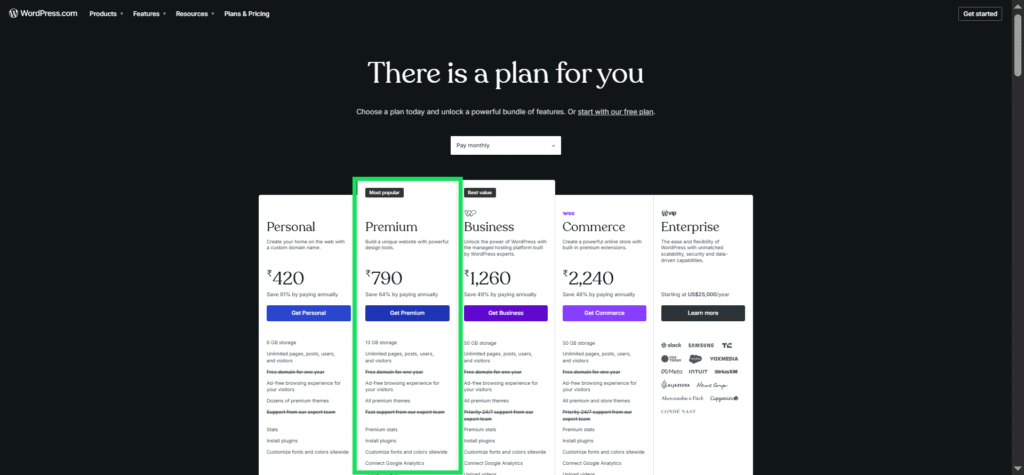
Creating an account was straightforward. The signup process followed a familiar pattern that most users will recognize. After entering basic account information, I was guided through a series of questions designed to understand the purpose of my website. Rather than throwing me into a blank dashboard immediately, WordPress.com attempted to tailor the experience based on my goals, which made the process feel more personalized.
One of the next steps involved choosing a domain name. This is an important decision because a domain becomes part of a business’s brand identity. WordPress.com makes domain selection relatively easy by allowing users to search for available names directly within the setup process. For businesses that already own a domain, there are options to connect it later, while new users can register a domain (free for one year in Annual plans) without leaving the platform. Having everything available in one place simplifies what can otherwise be a confusing task for beginners.
The onboarding process was another pleasant surprise. Instead of presenting dozens of settings and configuration options, WordPress.com guided me through the essential steps needed to launch a website. The platform focused on helping me establish the site’s structure before worrying about advanced customization. This approach made the experience feel organized rather than overwhelming.
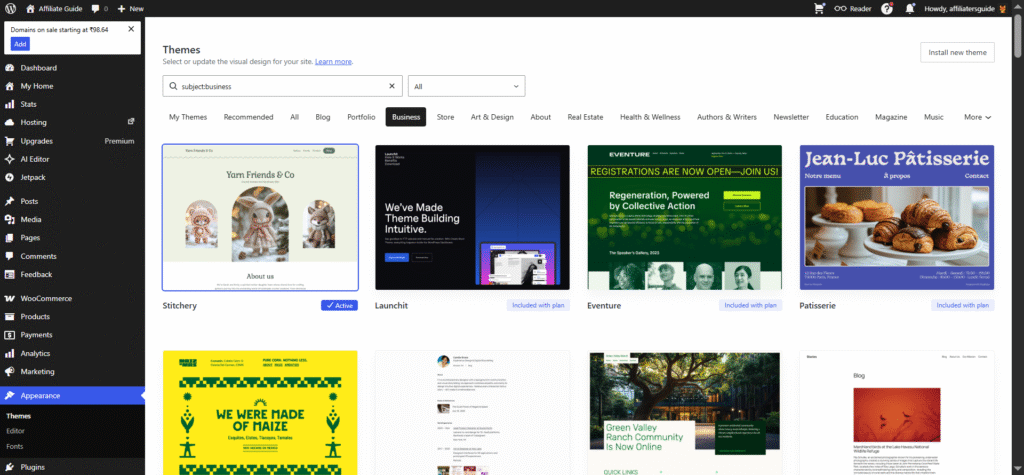
Selecting a theme was perhaps the most enjoyable part of the setup process. Many people still assume that WordPress.com offers only basic blog templates, but that assumption quickly disappeared once I explored the available designs. I found a wide variety of modern, professional-looking themes suitable for agencies, consultants, local businesses, online stores, and service providers. The themes didn’t feel outdated or generic. In fact, many looked comparable to premium website designs offered by dedicated website builders.
What surprised me most was how business-ready the themes felt right out of the box. Many included professionally designed homepages, service sections, testimonials, call-to-action areas, and contact layouts. Instead of starting from scratch, I could simply customize existing designs to match my brand.
My overall first impression was extremely positive. The setup process was not confusing, and I never felt lost or overwhelmed. From account creation to having a functioning website structure in place, the process took less than thirty to forty minutes. A complete beginner may need a little extra time to explore the available options, but I don’t believe most users would struggle significantly. WordPress.com has clearly invested effort into making website creation more approachable, and that was evident throughout the onboarding experience.
Designing the Website
For any small business, website design is about much more than aesthetics. A professional design helps create trust, communicate credibility, and encourage visitors to take action. In many cases, potential customers form an opinion about a business within a few seconds of landing on its website. That’s why I was particularly interested in seeing how much design flexibility WordPress.com offers and whether it could help create a website that looked professional without requiring advanced technical skills.
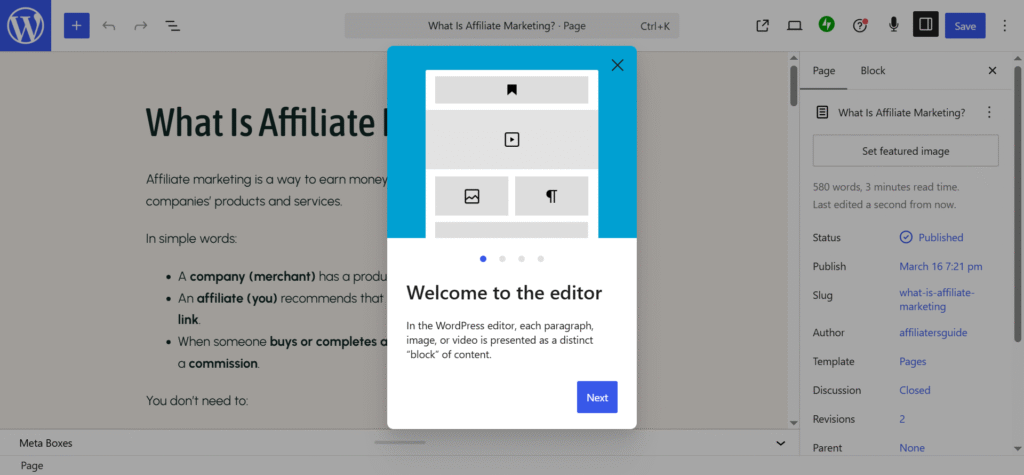
One of the first things I explored was the Site Editor. This is where most of the design customization happens, and I found it surprisingly intuitive. Rather than forcing users to work with complicated settings or code, the editor allows changes to be made visually. I could see modifications in real time, making it easier to experiment with different layouts and styles without worrying about breaking anything. The learning curve was much lower than I expected, especially for someone who has never designed a website before.
Another feature that stood out was Global Styles. This allows users to control the overall appearance of the website from a central location. Instead of editing each page individually, I could make site-wide adjustments to colors, typography, spacing, and design elements. This not only saved time but also helped maintain consistency throughout the website. Consistency is an important part of branding because it gives visitors a cohesive experience as they move between pages.
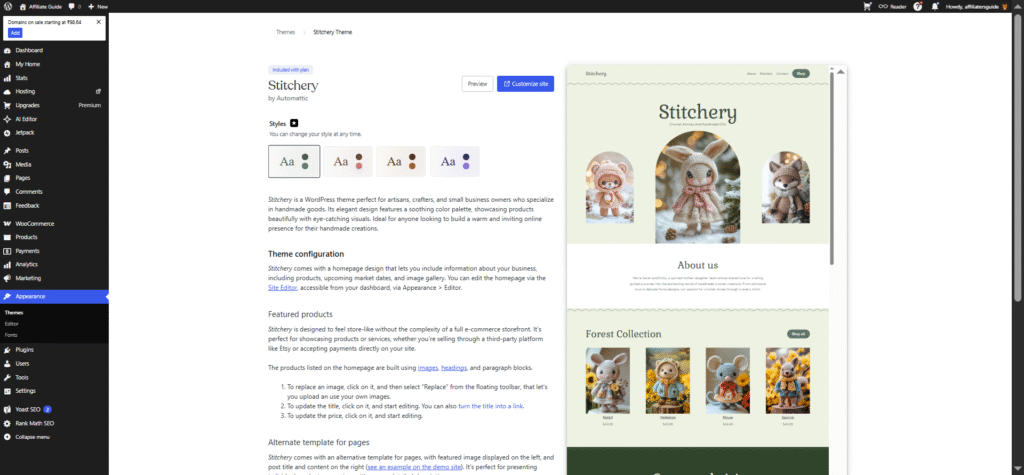
Color customization was straightforward and flexible. I was able to choose colors that matched the fictional business brand I was creating and apply them throughout the site. Whether updating buttons, headings, backgrounds, or links, the process felt simple and accessible. Even small changes had a noticeable impact on the overall appearance of the website.
Typography options were equally impressive. The ability to customize fonts, text sizes, and heading styles helped create a more polished and professional look. Different typography choices can dramatically affect how visitors perceive a business, and WordPress.com provides enough flexibility to establish a unique visual identity without becoming overwhelming.
Navigation menus were another area where the platform performed well. Creating and organizing menus was straightforward, making it easy to guide visitors to important pages such as Services, About, Blog, and Contact. Good navigation is often overlooked, but it plays a crucial role in user experience and customer engagement.
Perhaps the biggest surprise was how little technical knowledge was required. At no point during the design process did I need to write code or make complex technical adjustments. Most customization tasks could be completed through simple visual controls. For small business owners who want a professional website without hiring a developer, this is a significant advantage.
By the time I finished customizing the site, the final result looked modern, clean, and business-ready. It did not resemble a basic template or a generic website builder project. Instead, it looked like a professional website that a real business could confidently use to attract customers and build its brand online. The combination of the Site Editor, Global Styles, design flexibility, and ease of use made WordPress.com far more capable than I initially expected.
Creating Business Pages and Content
Once the overall design was in place, the next step was creating the actual content pages that would make the website useful for potential customers. This was where I expected WordPress.com to either shine or become frustrating. After all, a business website is more than just a good-looking design. It needs pages that clearly explain what the business does, build trust, and encourage visitors to take action. Fortunately, creating these pages turned out to be one of the easiest parts of the entire experience.
The homepage was the first page I worked on. Since this serves as the digital front door of the business, I wanted it to make a strong first impression. Using the block editor, I was able to add a hero section with a headline, supporting text, and a call-to-action button inviting visitors to learn more about the services offered. I also added images and service highlights to make the page more engaging. The process felt very visual, allowing me to see exactly how the page would appear to visitors as I built it.
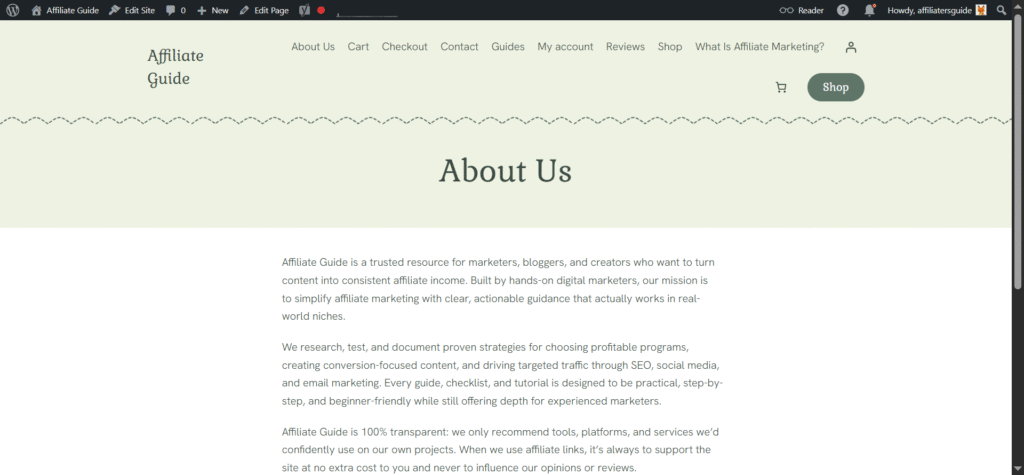
Next, I created the About page. This page focused on introducing the business, explaining its mission, and building credibility. I used image blocks alongside text sections to create a more personal feel. The layout options allowed me to break up large sections of text and create a page that was easy to read and visually appealing.
The Services page was particularly important because it explained what the business offered. Here, I used column blocks to organize services into clear sections. This made it easier for visitors to quickly understand the available solutions. I also added button blocks beneath each service section to encourage inquiries and consultations.
Creating the Contact page was equally straightforward. WordPress.com provides contact form functionality that made it simple to add a professional inquiry form. Visitors could easily submit questions without needing to leave the website. Combined with business contact details and a call-to-action, the page served its purpose perfectly.
I also created a Blog page to support future content marketing efforts. Publishing new posts and organizing content felt natural because blogging remains one of WordPress’s greatest strengths. Throughout the process, the block editor was a highlight. The editing experience felt similar to drag-and-drop website builders while still offering the flexibility that WordPress is known for.
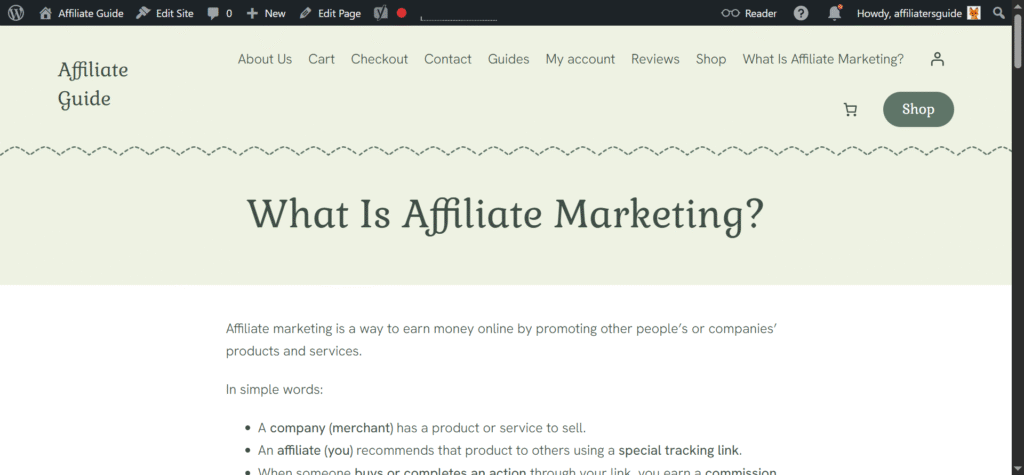
By the time all five pages were complete, I had a website that looked professional, communicated the business clearly, and provided visitors with all the information they needed. More importantly, creating those pages required very little technical knowledge, making WordPress.com an accessible option for small business owners who want to manage their own websites.
Why Content Marketing Is a Hidden Advantage
When people compare website builders, most of the conversation revolves around design. Companies showcase beautiful templates, drag-and-drop editors, animations, and customization options. While design is certainly important, it’s only one piece of the puzzle. A great-looking website won’t do much for a business if nobody visits it. That’s where content marketing becomes important, and this is an area where WordPress.com has a significant advantage over many competing platforms.
One thing that became clear during my testing is that WordPress.com wasn’t originally built just as a website builder. Its roots are in publishing and content creation, and that heritage remains one of its greatest strengths. While many website builders treat blogging as an extra feature, WordPress.com treats content as a core part of the platform. Everything from creating posts to organizing categories and managing content feels natural and intuitive.
For small businesses, this matters more than many people realize. A website should not simply act as an online brochure that remains unchanged for years. Instead, it should become a resource that continuously attracts potential customers. Publishing useful content gives businesses opportunities to answer questions, demonstrate expertise, and improve their visibility in search engines.
For example, a business can regularly publish blog articles related to its industry. A digital marketing agency might share social media tips, while a local plumber could publish maintenance advice for homeowners. Over time, these articles can attract visitors who are actively searching for solutions online. Case studies are another powerful content type. By showcasing real-world results and customer success stories, businesses can build trust and demonstrate their expertise. Similarly, FAQ pages help answer common customer questions while also creating additional opportunities to rank in search results.
Tutorials are particularly effective because they provide genuine value to visitors. Helpful how-to guides not only establish authority but also encourage users to return to the website for future information. For local businesses, creating location-specific content can support local SEO efforts and improve visibility for nearby customers searching for services.
What I appreciated most was how seamlessly WordPress.com supports all these content strategies. Adding new posts, organizing topics, and managing a growing content library felt effortless. The platform encourages ongoing publishing rather than treating content as an afterthought.
Plugins, Integrations, and Business Features
One of the biggest reasons WordPress has remained popular for so many years is its incredible flexibility. A website might start as a simple online brochure, but as a business grows, its requirements often become more complex. New marketing strategies, customer communication tools, booking systems, and sales processes may need to be added over time. This is where WordPress.com surprised me the most during my testing.
Many people still assume that WordPress.com is limited compared to self-hosted WordPress. While there are some differences, the platform has evolved significantly and now offers access to a wide range of plugins and business-focused features on eligible plans. This dramatically changes what a business website can accomplish and makes WordPress.com far more powerful than many people realize.
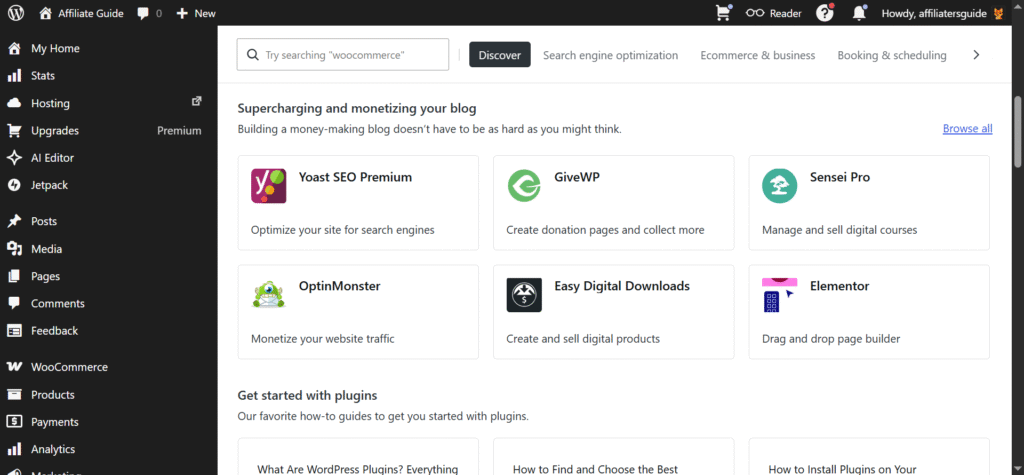
👉 Read How to Install Plugins on WordPress.com Paid Plans
One of the first business features I explored was contact forms. Every small business website needs a simple way for potential customers to get in touch. Whether someone wants to request a quote, ask a question, or schedule a consultation, contact forms play a critical role in lead generation. Adding forms to pages was straightforward, and the process required no coding or technical configuration.
Analytics integration is another valuable feature for business owners. Understanding how visitors interact with a website can help improve marketing decisions and identify growth opportunities. WordPress.com supports analytics tools that allow businesses to monitor traffic, track visitor behavior, and measure the effectiveness of their content and marketing campaigns. Having access to this information helps transform guesswork into informed decision-making.
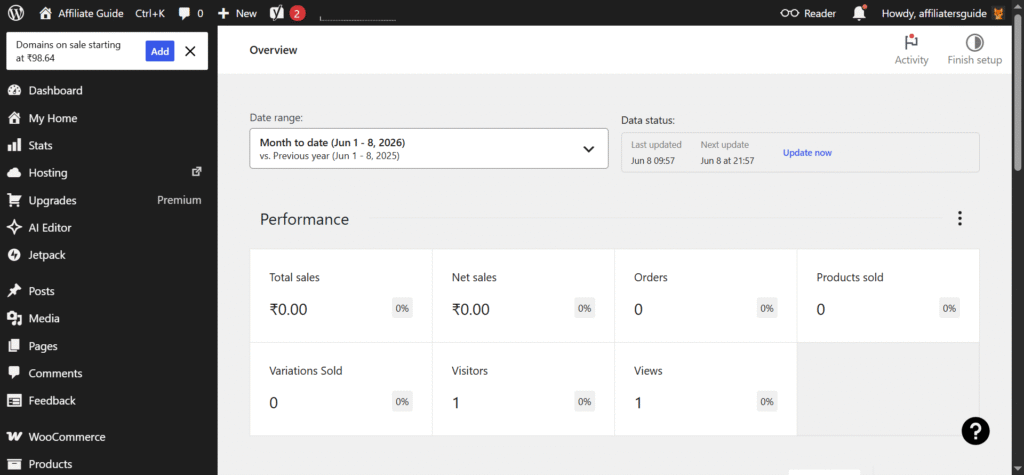
I was also impressed by the availability of booking and scheduling solutions. For consultants, coaches, tutors, photographers, and service providers, online booking can save significant time while improving customer convenience. Instead of handling appointments manually, businesses can allow customers to schedule services directly through the website.
Email marketing is another area where integrations become extremely valuable. Building an email list remains one of the most effective ways to stay connected with customers and nurture leads over time. Through available integrations and plugins, businesses can collect subscriber information, send newsletters, and automate communication without relying entirely on third-party platforms.
What makes all of these features important is that they transform a website from a simple information source into an active business tool. A basic website may tell visitors what a company does, but plugins and integrations allow that same website to generate leads, schedule appointments, collect customer data, support marketing campaigns, and drive business growth.
Performance, Security, and Maintenance
While design, content, and business features often get the most attention, performance and security can have an even greater impact on the long-term success of a website. These are the areas many small business owners rarely think about until something goes wrong.
Slow loading pages, security breaches, lost data, or website downtime can quickly damage a company’s reputation and lead to missed business opportunities. One of the biggest advantages I discovered while testing WordPress.com is how much of this responsibility is handled behind the scenes.
During my testing, the website felt responsive and reliable, and I never had to worry about configuring servers, optimizing hosting settings, or managing performance-related tasks. This is a significant benefit for business owners who simply want their websites to work efficiently without becoming technical experts.
Security is another area where WordPress.com provides considerable value. Many small business owners assume hackers only target large corporations, but the reality is often the opposite. Small business websites are frequent targets because they may have weaker security measures or outdated software. A successful attack can result in data loss, website downtime, damaged customer trust, and costly recovery efforts.
With WordPress.com, much of the security management is handled automatically, and the platform also integrates Jetpack Security to add an extra layer of protection. Instead of constantly monitoring vulnerabilities, managing server configurations, or worrying about keeping security plugins up to date, business owners can focus on running their companies. Jetpack Security helps guard against threats, monitor site integrity, and reinforce protections behind the scenes. Knowing that security is being actively managed—both by WordPress.com’s managed environment and Jetpack’s dedicated tools—provides peace of mind that many entrepreneurs will appreciate.
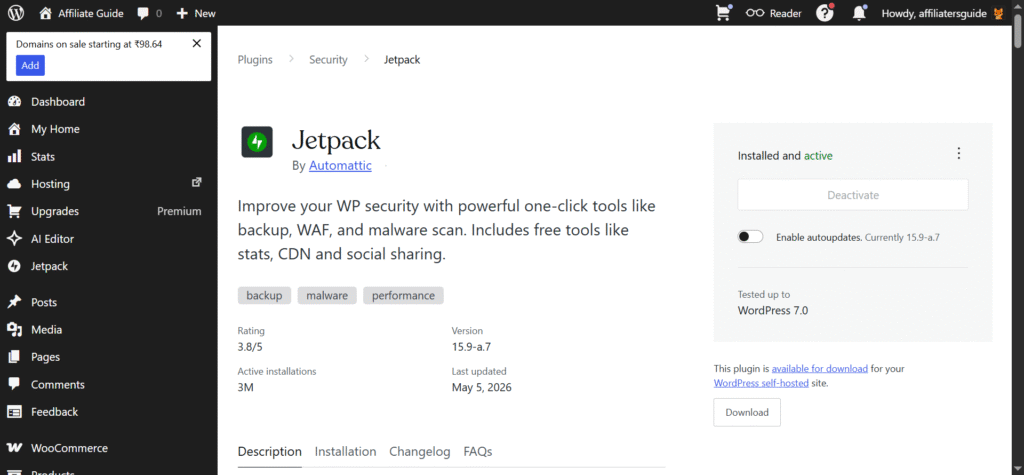
Backups are equally important. No matter how carefully a website is managed, unexpected problems can occur. Whether it’s accidental content deletion, software conflicts, or technical issues, having reliable backups can prevent major disruptions. WordPress.com includes backup and recovery capabilities that help protect valuable business data.
Updates are another task that often gets overlooked. On many self-managed websites, owners are responsible for updating software, plugins, and system components. Failing to perform updates can create security risks and compatibility issues. WordPress.com removes much of this burden through its managed environment, ensuring that the platform remains secure and up to date.
Ultimately, what impressed me most was the managed hosting experience. Instead of spending time on technical maintenance, I could focus entirely on content, design, and business growth. For small business owners, this translates into real value. Every hour saved on troubleshooting, updates, security monitoring, and server management is an hour that can be spent serving customers, improving products, or growing revenue. That’s a benefit many business owners will find difficult to ignore.
Can WordPress.com Grow With a Business?
One of the biggest concerns when choosing a website platform is whether it will still meet your needs a few years down the road. Many website builders work well when a business is small, but eventually become limiting as the company grows. This often forces business owners to migrate to a new platform, a process that can be time-consuming, expensive, and potentially harmful to search engine rankings. During my testing, one of the things that impressed me most about WordPress.com was its ability to support business growth over time.
Imagine a typical small business journey. In year one, the primary goal is simply establishing an online presence. The business needs a professional homepage, an about page, service descriptions, and a contact form. WordPress.com handles these requirements easily, allowing owners to launch a polished website without significant technical effort.
By year two, the business may begin focusing more heavily on content marketing. Regular blog posts, industry insights, customer success stories, and helpful resources can help attract visitors through search engines. Since content publishing is deeply integrated into WordPress.com, expanding a blog feels like a natural progression rather than an added complication.
In year three, lead generation often becomes a higher priority. Businesses may want contact forms, email subscription tools, landing pages, appointment booking systems, and marketing integrations. WordPress.com’s growing collection of plugins and business features makes it possible to add these capabilities without rebuilding the site from scratch.
By year four, some businesses may decide to sell products or services online. This could include physical products, digital downloads, online courses, consultations, or event tickets. WordPress.com provides ecommerce options that allow businesses to expand into online sales while continuing to use the same website and brand they have already established.
Looking ahead to year five, a business may want to introduce memberships, premium content, client portals, or subscription-based services. Once again, WordPress.com offers pathways to support these more advanced business models.
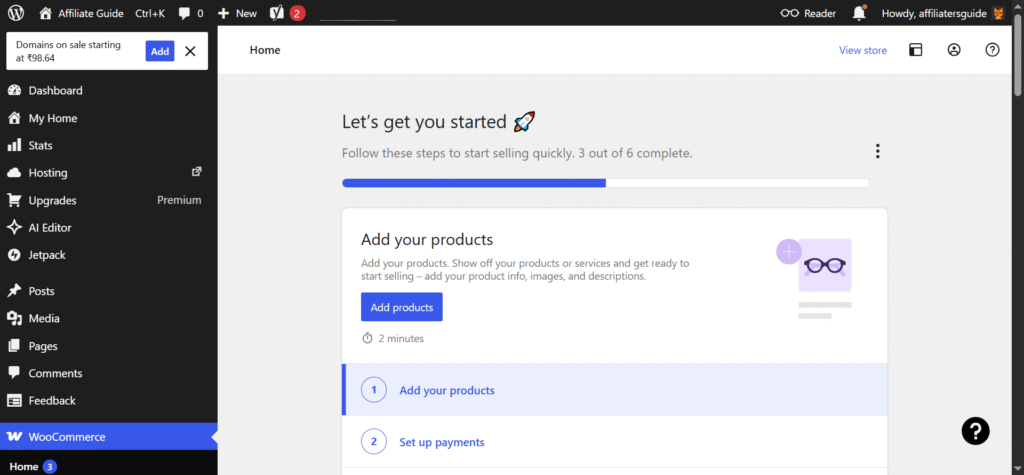
What makes this progression valuable is that each stage builds upon the previous one. Instead of outgrowing the platform and facing a disruptive migration, businesses can continue expanding their websites as their needs evolve. The website that starts as a simple online presence can gradually become a lead-generation system, an ecommerce store, or even a membership platform.
For small business owners, that kind of scalability provides peace of mind. Choosing WordPress.com isn’t just about building a website for today. It’s about investing in a platform that can continue supporting your business as it grows and changes in the years ahead.
What I Loved Most
After spending time building and testing a real business-style website, several aspects of WordPress.com stood out to me. More than any individual feature, I appreciated how the platform balances simplicity and capability. It manages to be approachable for beginners while still offering enough flexibility for growing businesses.
The first thing I loved was the ease of use. From account creation to publishing pages, the entire process felt well-organized and beginner-friendly. At no point did I feel overwhelmed by technical settings or complicated configurations. WordPress.com does a good job of guiding users through the website-building process without making them feel restricted.
Another highlight was the professional appearance of the final website. The available themes and design tools made it possible to create a site that looked modern, trustworthy, and business-ready. I never felt like I was settling for a basic template or a generic website builder design.
I also appreciated the reduced maintenance burden. Since WordPress.com handles hosting, security, updates, and much of the technical infrastructure, I could focus on creating content and improving the website rather than troubleshooting technical issues. For busy business owners, this is a major advantage.
Scalability was another pleasant surprise. The platform allows businesses to start small and gradually add new features as their needs evolve. Whether it’s blogging, lead generation, ecommerce, or memberships, there is a clear path for growth without needing to switch platforms.
Finally, I enjoyed the content publishing experience. Since WordPress was originally built around publishing, creating blog posts, organizing content, and maintaining a content strategy felt natural and efficient. For businesses that want to grow through content marketing and SEO, this is one of WordPress.com’s strongest advantages.
Overall, what impressed me most was how practical the platform felt. Rather than focusing on flashy features, WordPress.com provides the tools most small businesses actually need to build, manage, and grow their online presence.
Who Should Use WordPress.com?
After building and testing a real business-style website, I believe WordPress.com is an excellent choice for a wide range of small businesses and independent professionals. The platform is particularly well-suited for users who want a professional website without spending large amounts of time managing technical details.
Consultants can benefit from WordPress.com’s ability to showcase expertise, publish thought leadership content, and generate leads through contact forms and landing pages. Similarly, agencies can use the platform to highlight services, display case studies, and maintain a content marketing strategy that attracts potential clients.
For freelancers, WordPress.com offers an easy way to build a portfolio, publish articles, and create a professional online presence that helps establish credibility. Coaches can use the platform to share resources, collect inquiries, promote services, and potentially expand into online courses or membership-based offerings as their businesses grow.
The platform is also a strong fit for local businesses such as repair services, clinics, tutors, photographers, and home service providers. These businesses often need a website that clearly explains their services, appears in search results, and makes it easy for customers to get in touch. WordPress.com handles these requirements particularly well.
Service providers of all kinds can benefit from features such as contact forms, appointment booking integrations, content marketing tools, and lead generation capabilities. Meanwhile, small ecommerce businesses can start with a basic website and gradually expand into online selling as their needs evolve.
In short, WordPress.com is ideal for business owners who want a professional, scalable, and easy-to-manage website that can grow alongside their business without requiring extensive technical expertise.
Conclusion
For small businesses, the best website platform is one that helps you focus on customers instead of technology. After building and testing a real business website, I found WordPress.com to be one of the easiest ways to create a professional online presence without the usual technical headaches.
Don’t let your competitors win customers online while you’re still planning. Launch your business website today and start building your digital presence with WordPress.com.
🙏 Disclosure & Thank You
This post contains affiliate links. As an affiliate partner of WordPress.com , I may earn a commission if you purchase through these links.
This comes at no additional cost to you and helps support the content published on DreamHosters. Thank you for your support.
Frequently Asked Questions – FAQs
1. Is WordPress.com good for small businesses in 2026?
Yes. WordPress.com has evolved far beyond its blogging roots and now offers professional website design, managed hosting, SEO-friendly features, security tools, and business integrations. For most consultants, freelancers, agencies, local businesses, and service providers, it provides everything needed to build and grow a professional online presence.
2. What’s the difference between WordPress.com and self-hosted WordPress?
With WordPress.com, hosting, security, updates, backups, and much of the technical maintenance are managed for you. Self-hosted WordPress gives you complete control but requires you to handle hosting, maintenance, and security yourself. For many small business owners, WordPress.com offers a simpler and more convenient experience.
3. Can I use WordPress.com for SEO and content marketing?
Absolutely. WordPress.com makes it easy to create SEO-friendly pages, publish blog posts, organize content with categories and tags, and build a long-term content marketing strategy. This makes it an excellent platform for businesses that want to attract customers through Google search.
4. Can WordPress.com grow as my business grows?
Yes. You can start with a simple business website and later expand into blogging, lead generation, appointment booking, ecommerce, memberships, and other advanced features. One of WordPress.com’s biggest strengths is that it allows businesses to scale without needing to migrate to a different platform.
5. Do I need coding skills to build a website on WordPress.com?
No. Most websites can be built using WordPress.com’s visual Site Editor and block editor. You can customize layouts, colors, fonts, images, buttons, and pages without writing code. This makes the platform accessible even for complete beginners while still offering enough flexibility for growing businesses.